Everything for hiking, trail running, and exploring.
Outdoor and satellite maps, compass, velocity and altitude info, device orientation mode, draw-on-terrain and follow-on-trail ruler, importing and exporting GPX tracks with advanced track analytics, elevation change and high-grade segments analysis, detailed track reports, offline mode support, GPX track active mode support with automatic statistic updates and location binding, GPX track recording, Track Builder for creating custom routes by drawing and merging trails, discovering and searching OSM trails via Finder mode with OSM-to-GPX track conversion options, waypoint creation and sharing, getting weather for a point or viewing radar and temperature maps with temperature shown on weather tile labels
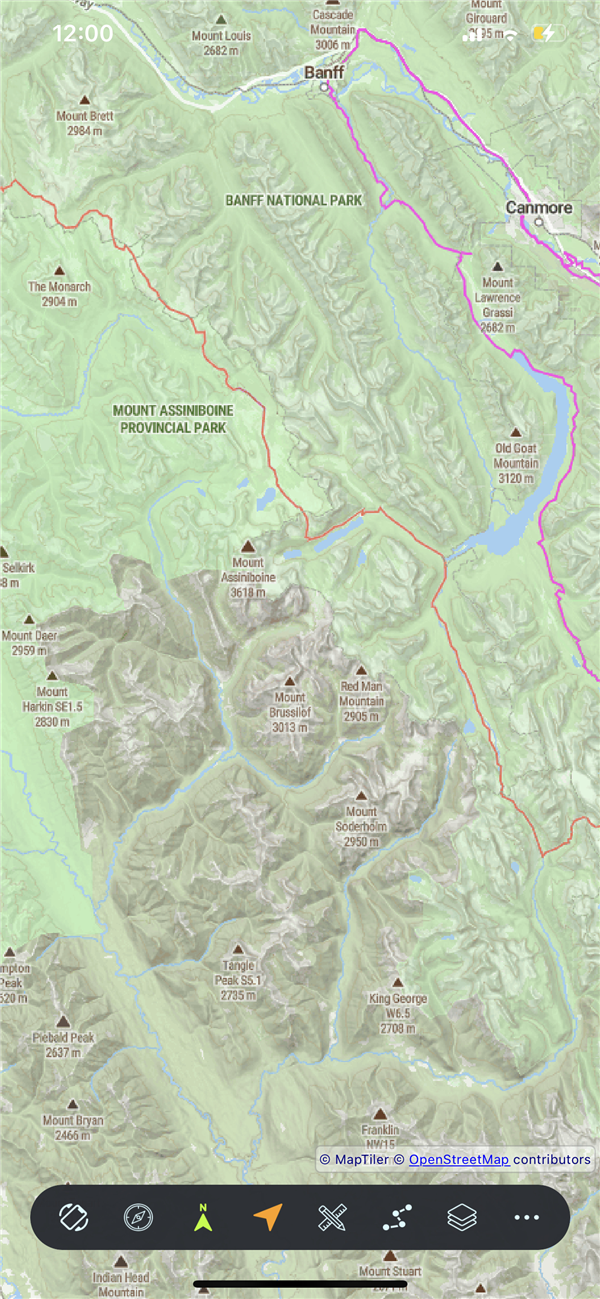
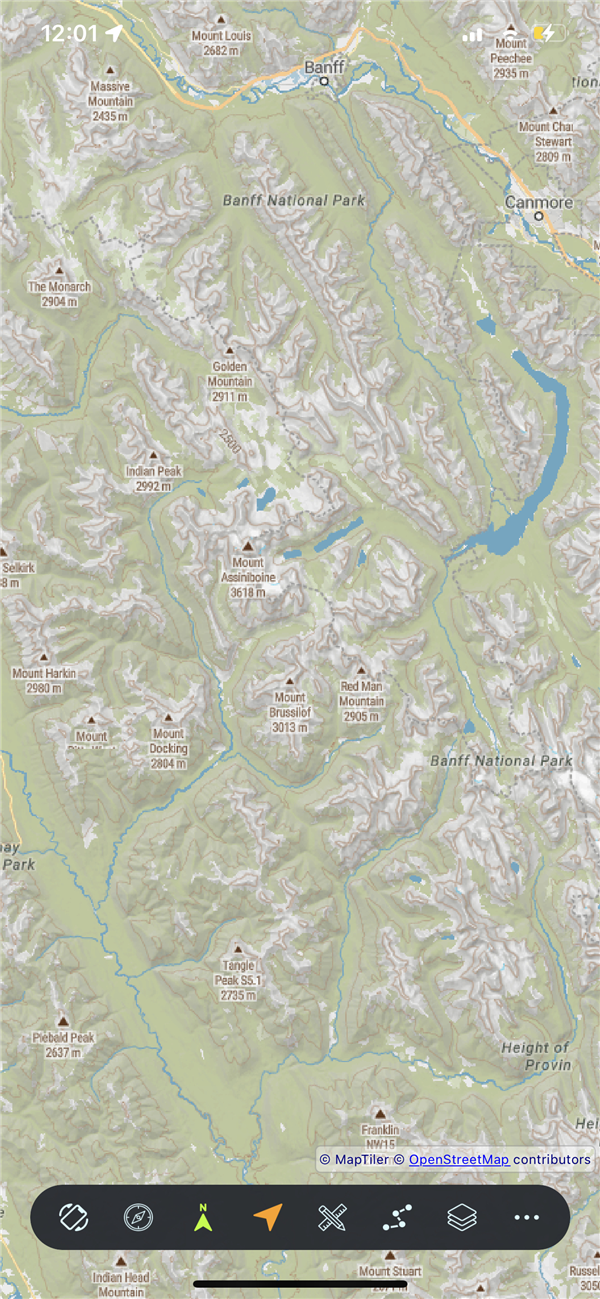
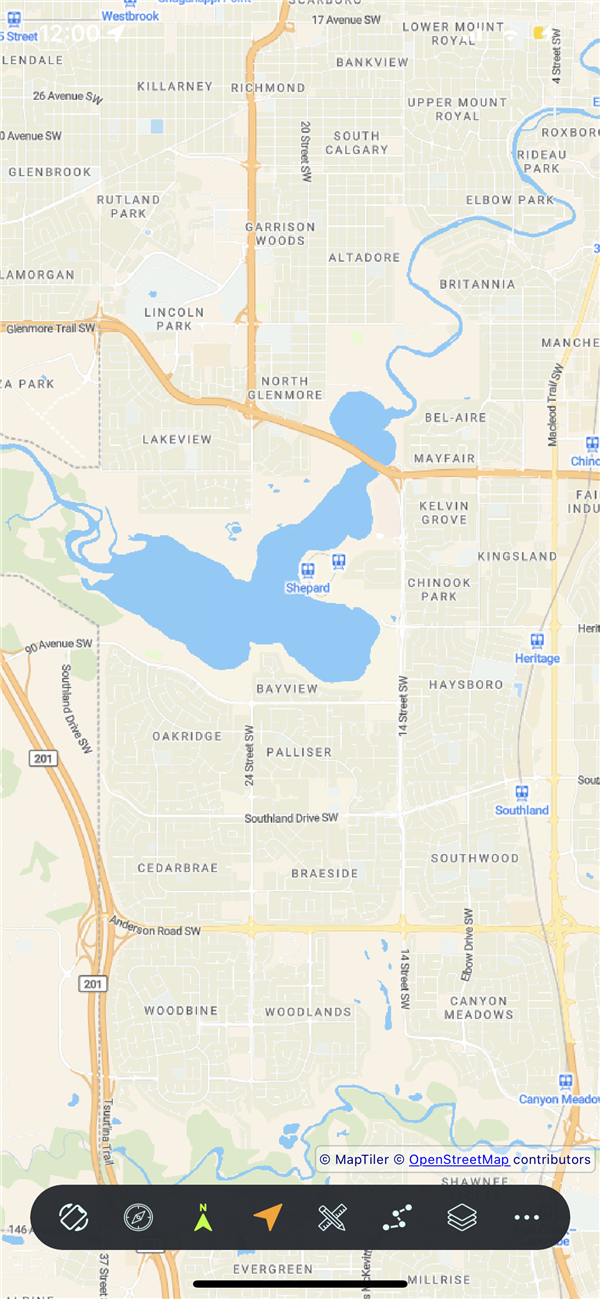
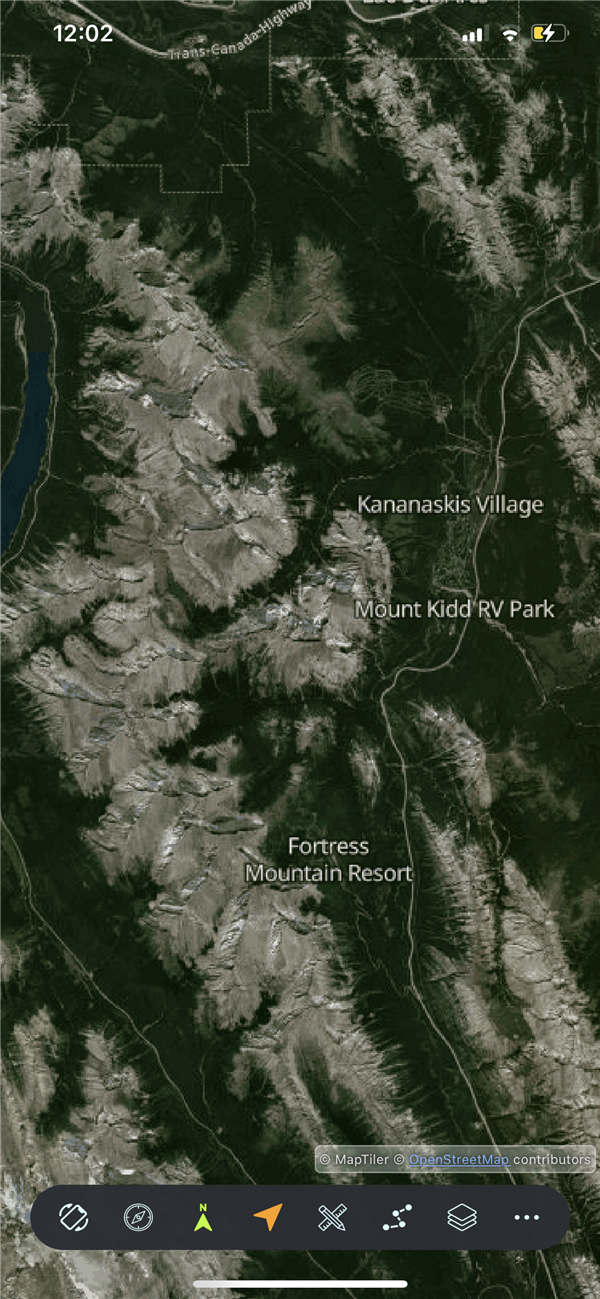
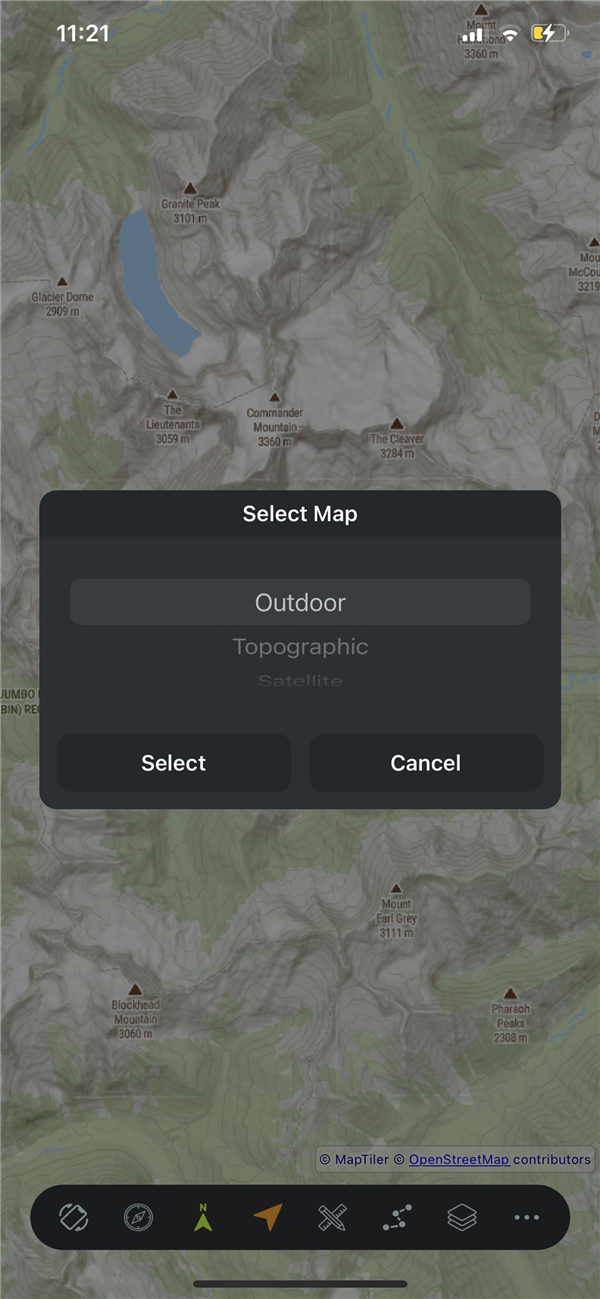
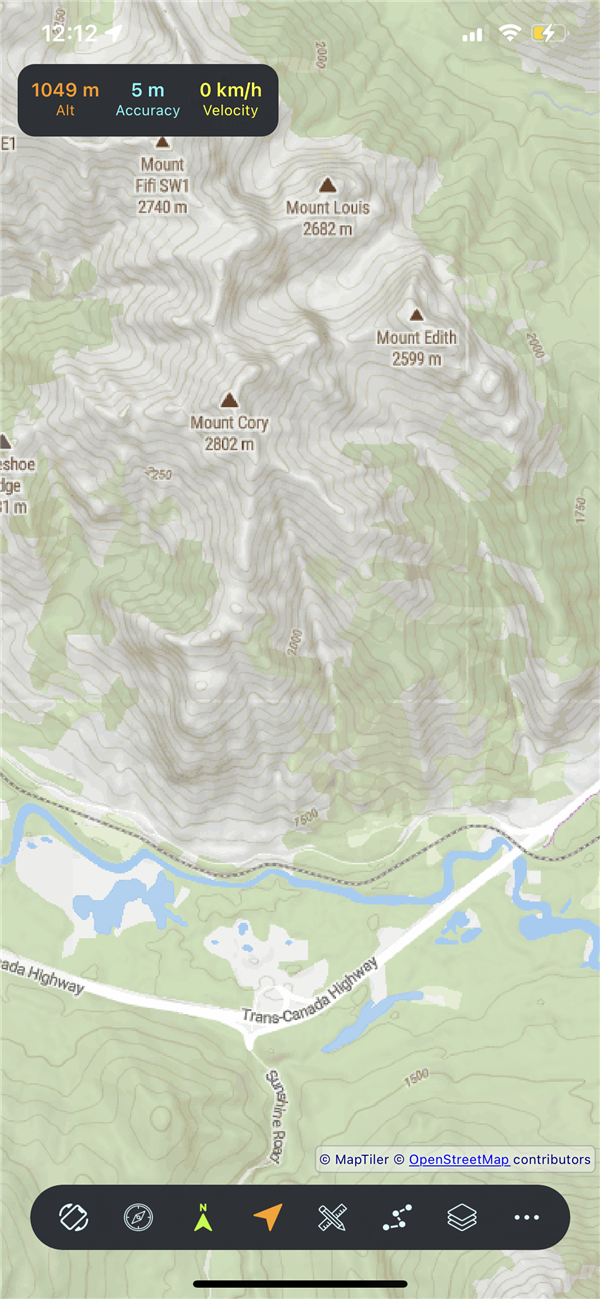
Outdoor, Topographic, City and Satellite maps
Pan, zoom, rotate, tap, and long-press controls
Keep map centered on your GPS position
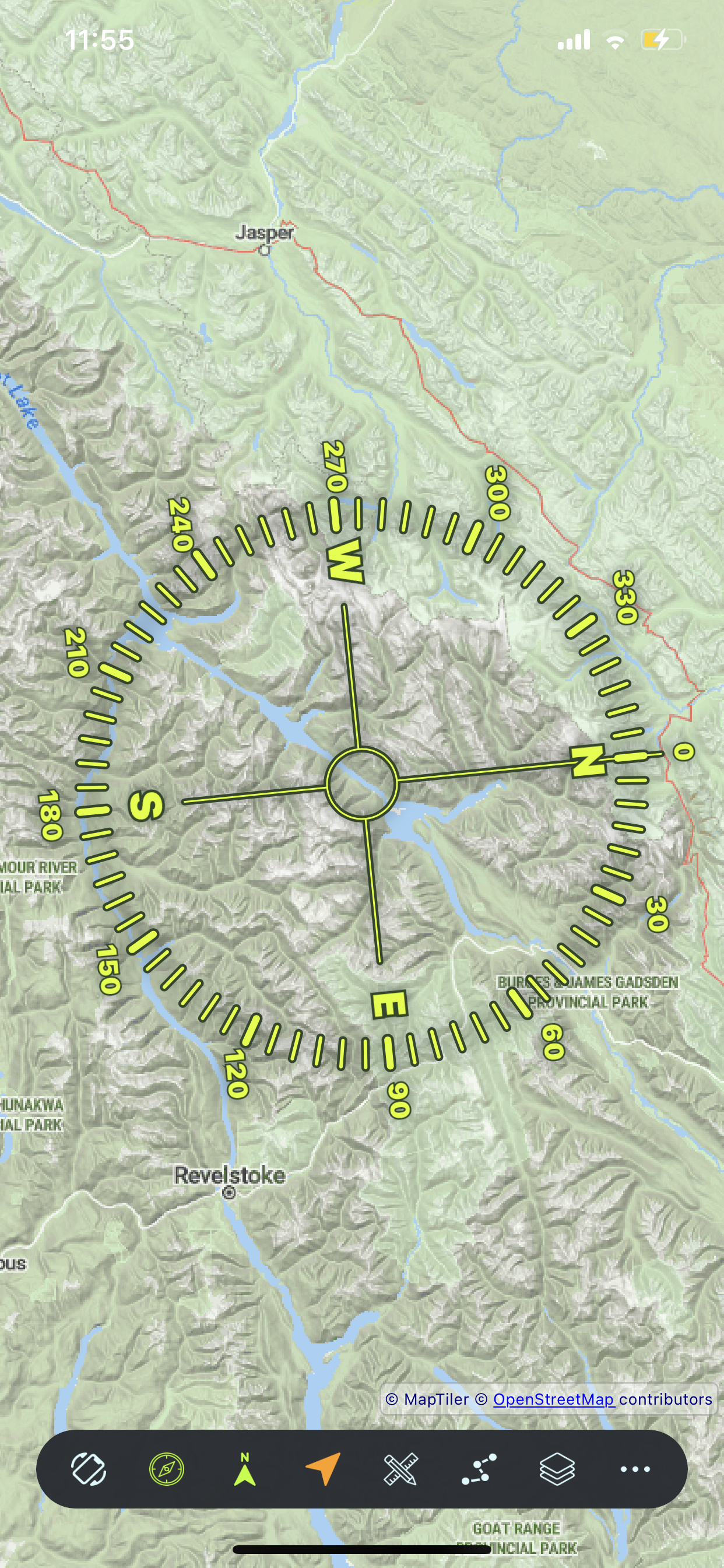
Map rotates with compass for heading-up view
On-screen compass shows north direction
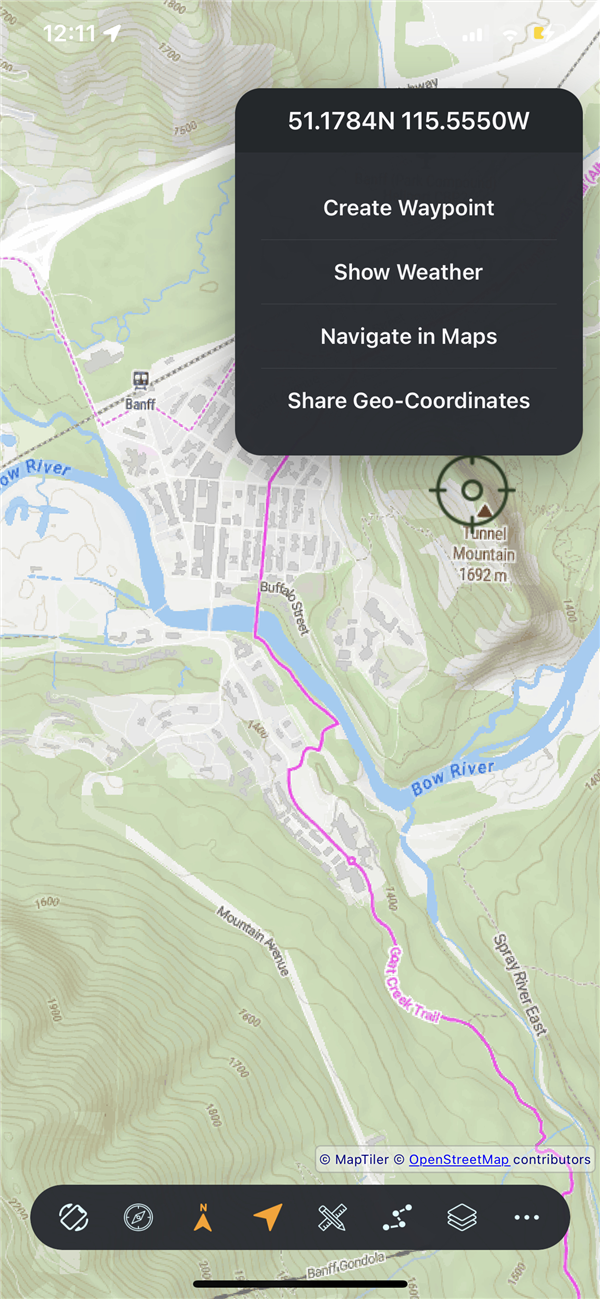
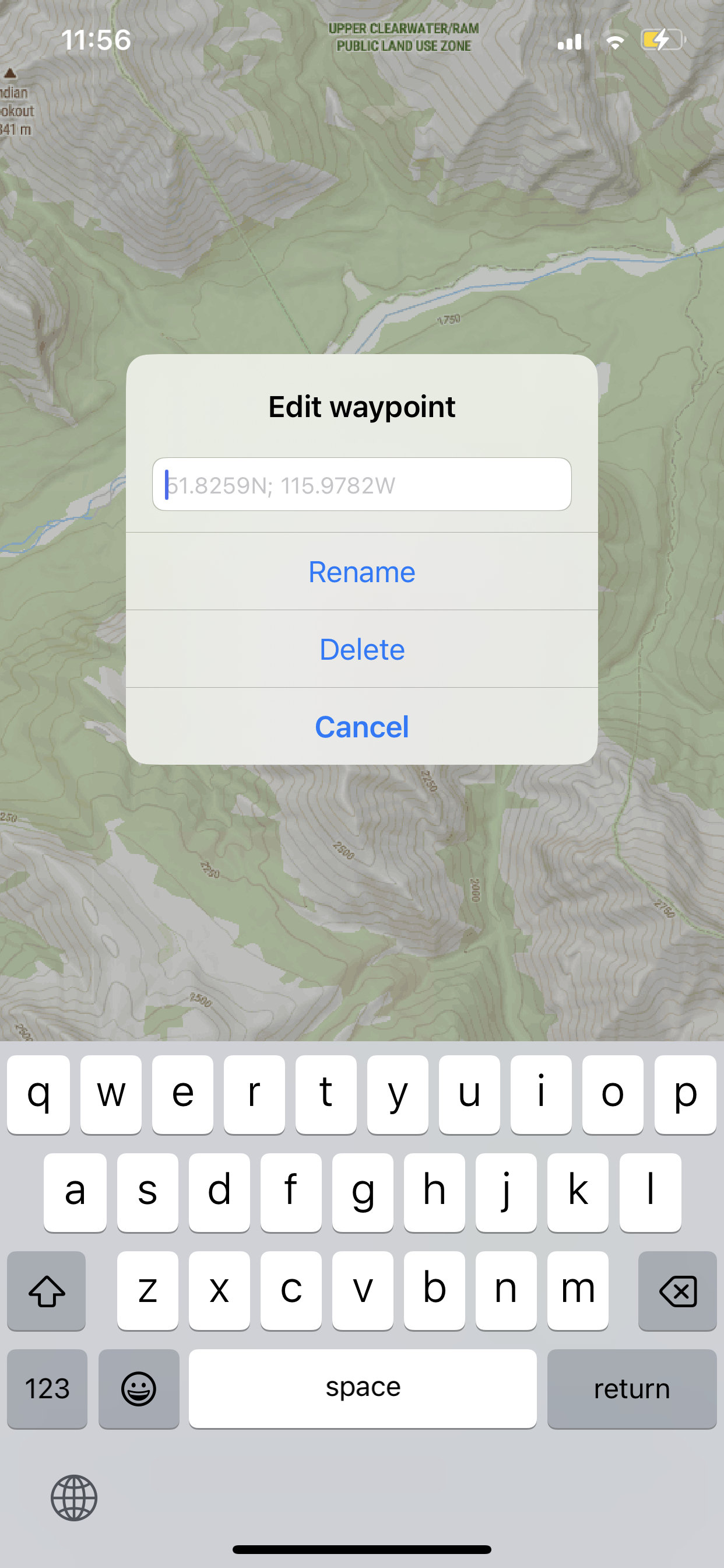
Long-press for waypoint, weather, navigation
Real-time altitude, velocity, and GPS accuracy display
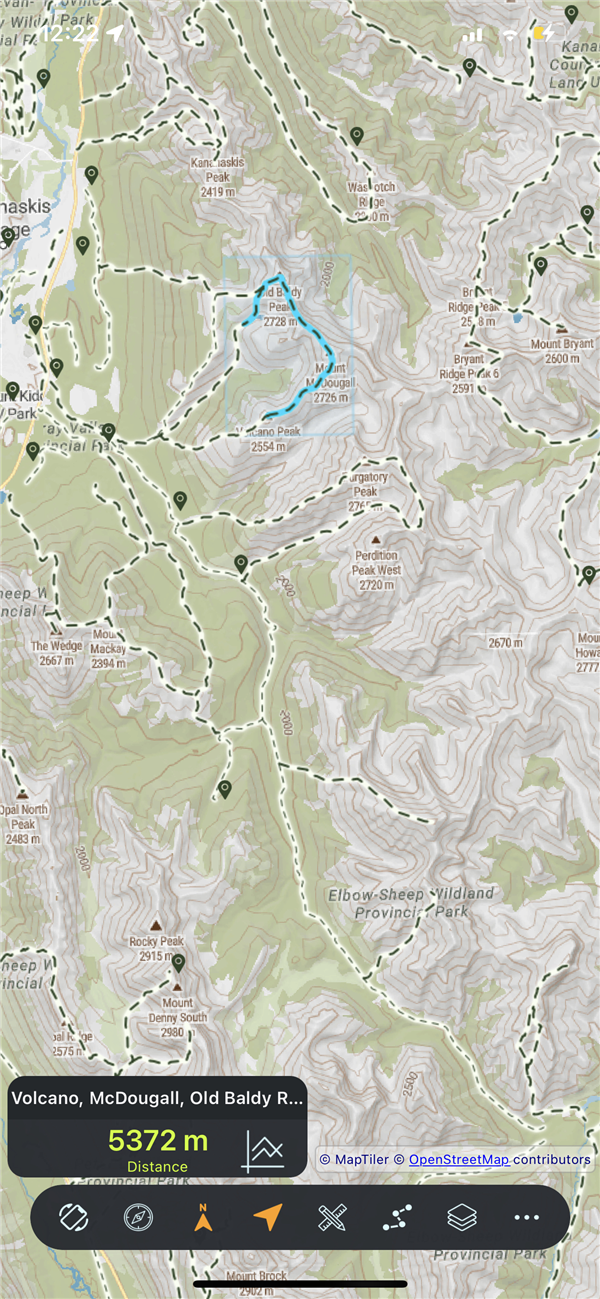
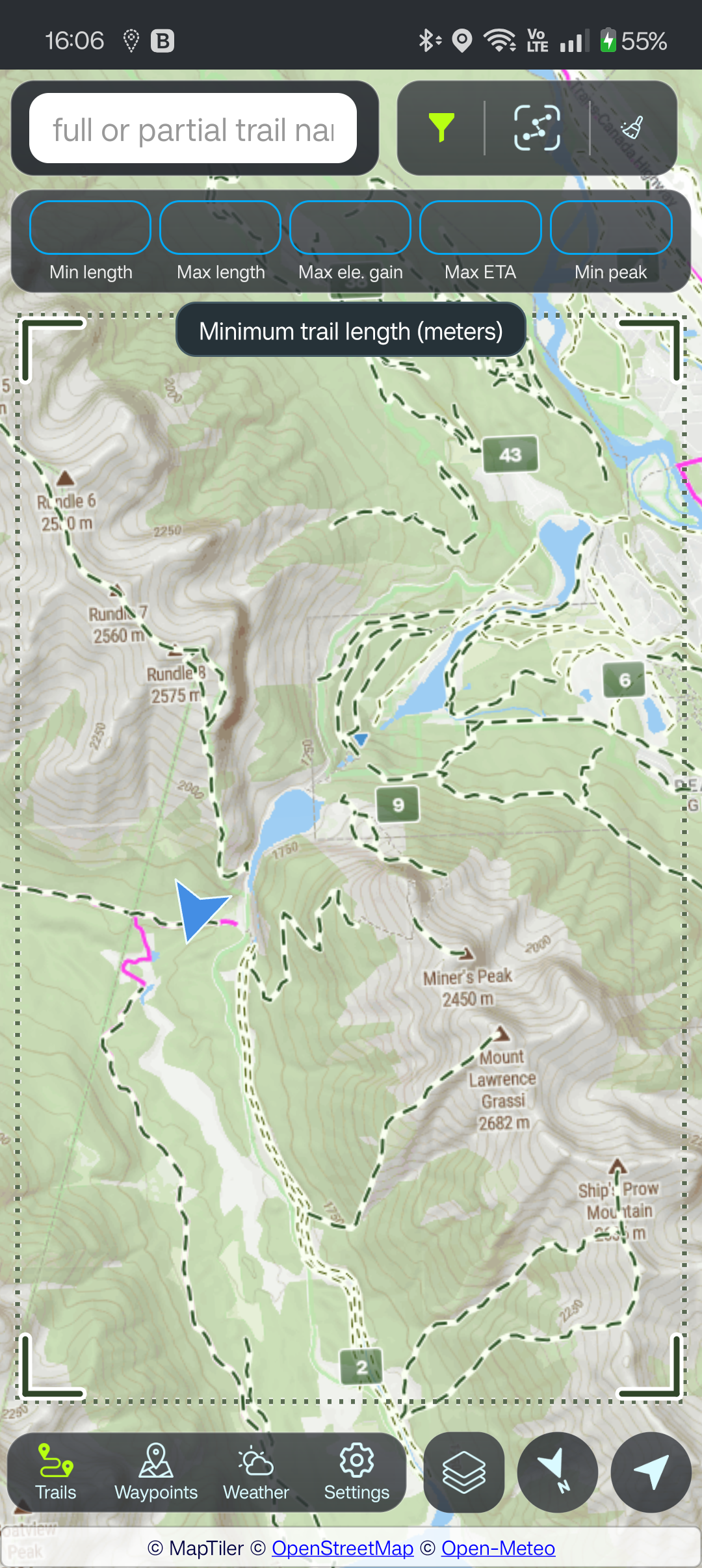
Via Trails > Finder: highlight all OpenStreetMap trails in visible area β tap any to view info
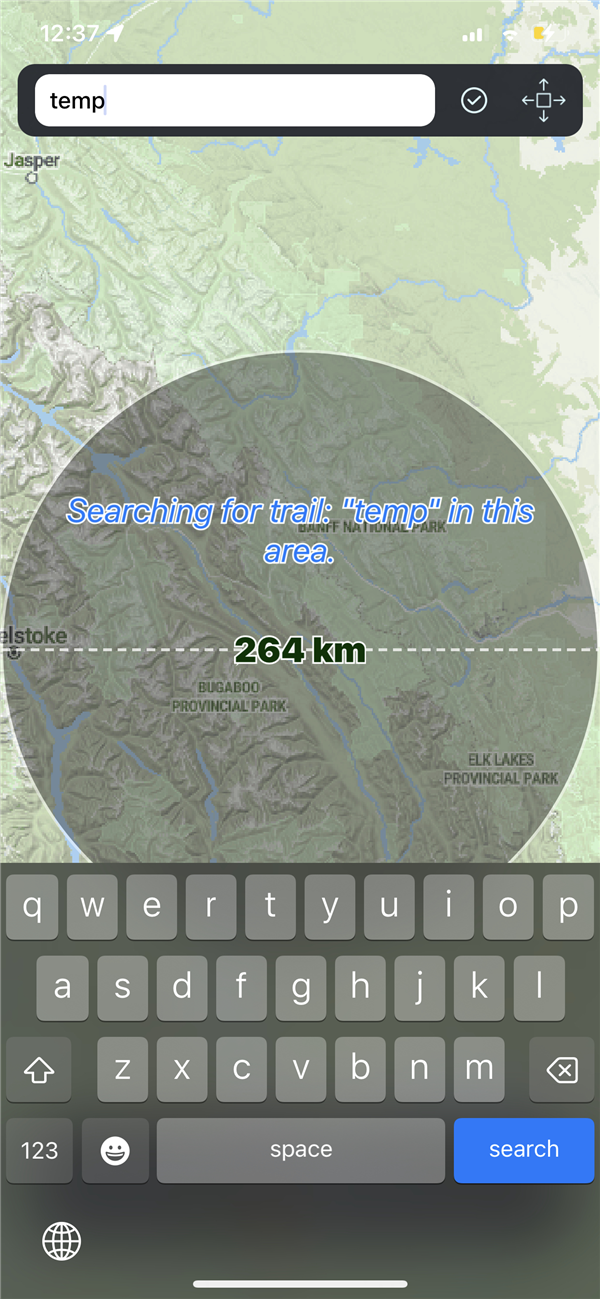
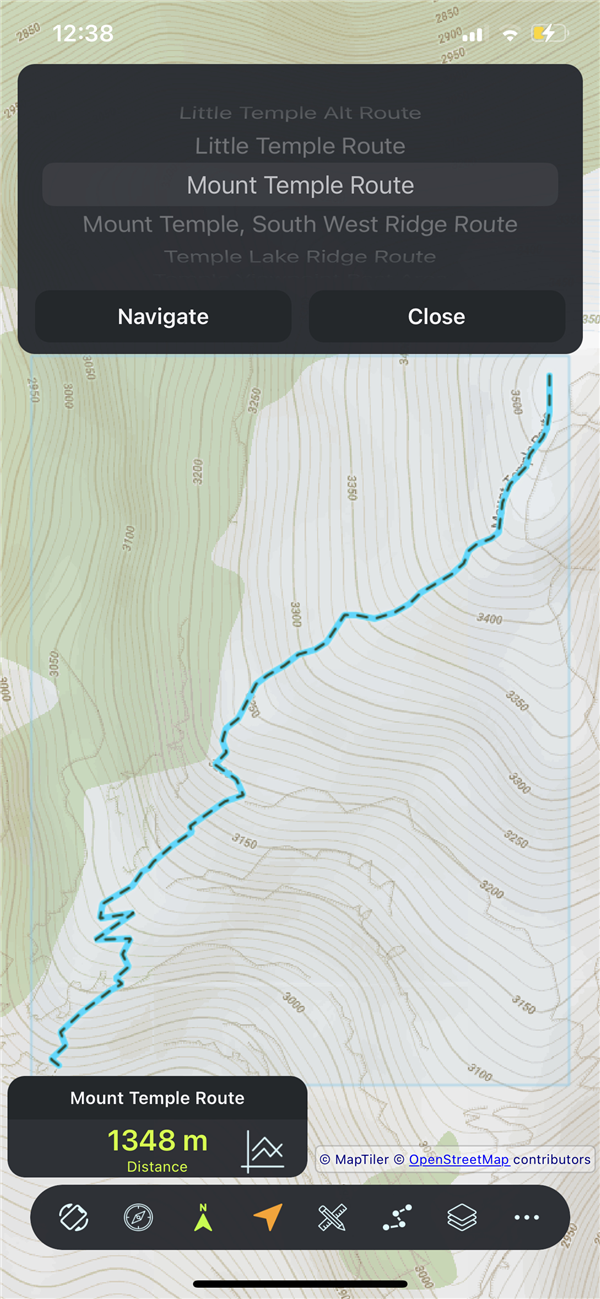
Via Trails > Finder: search by full or partial trail name in the current map view, then navigate or convert to GPX
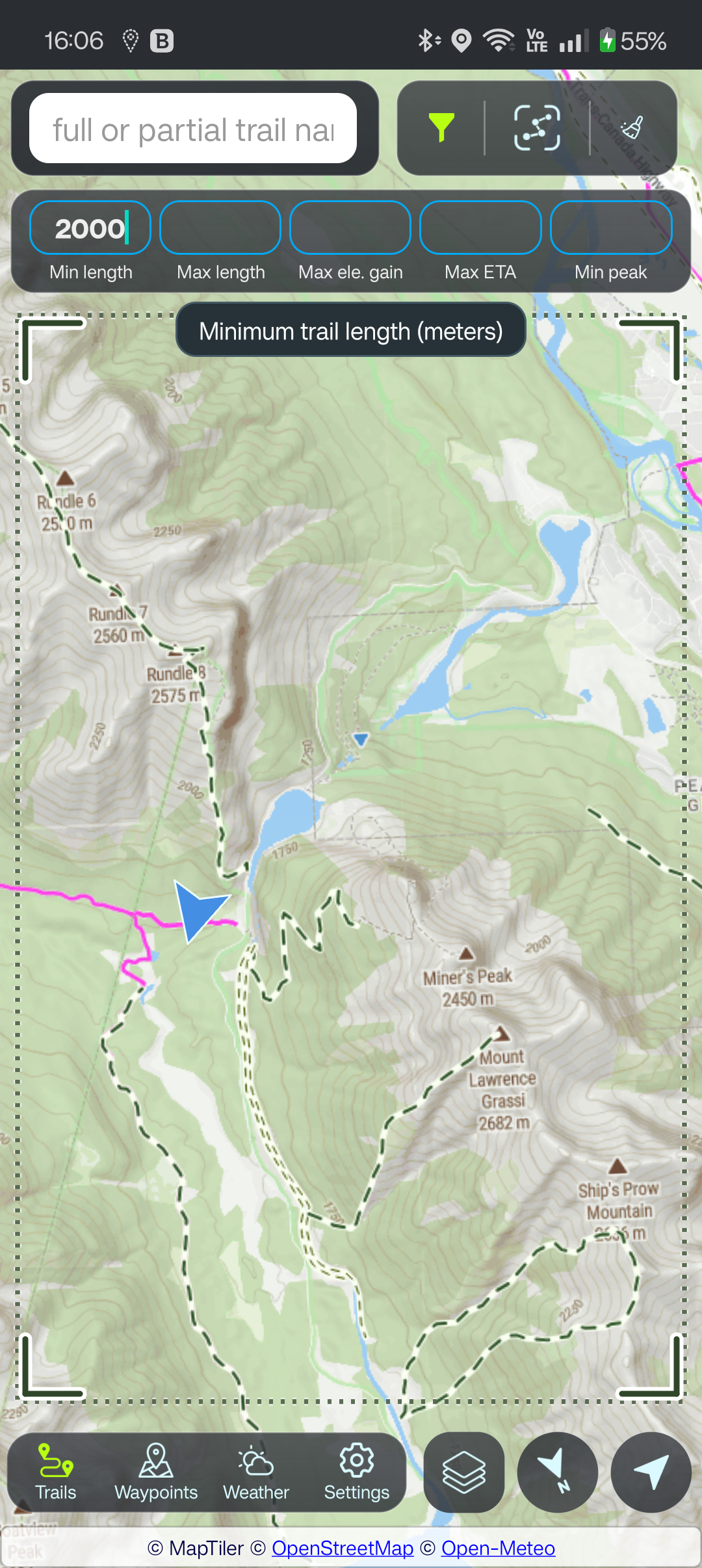
Filter highlighted trails by length, elevation gain, estimated time, and peak altitude β instant client-side filtering
Import any standard GPX file from your device
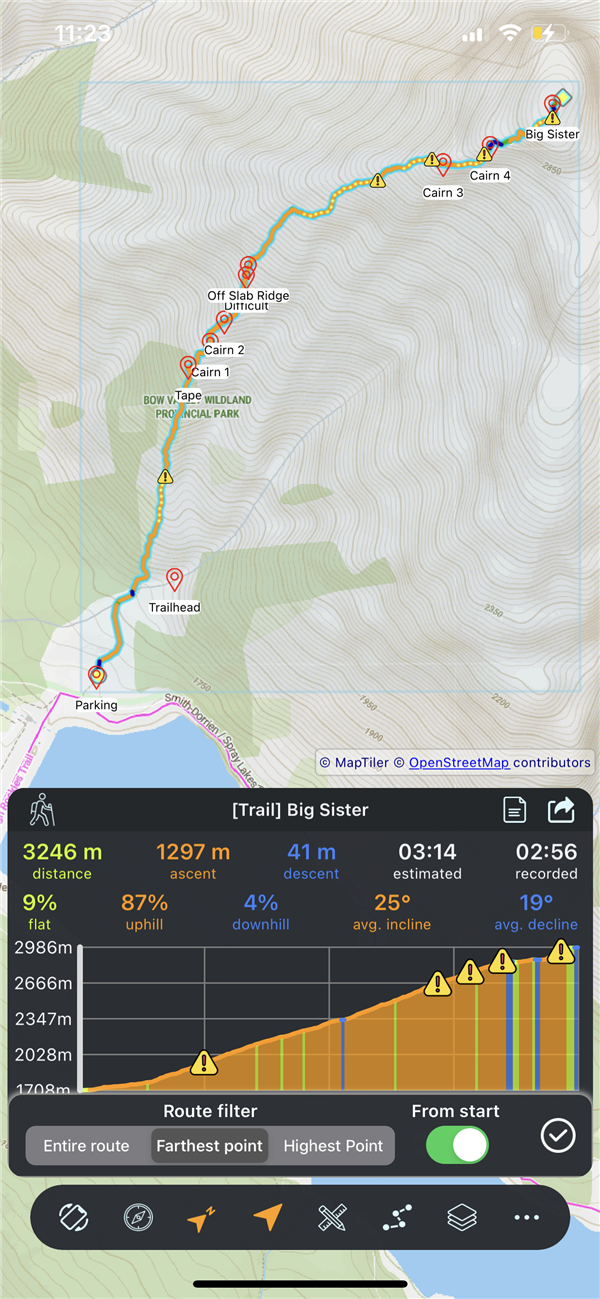
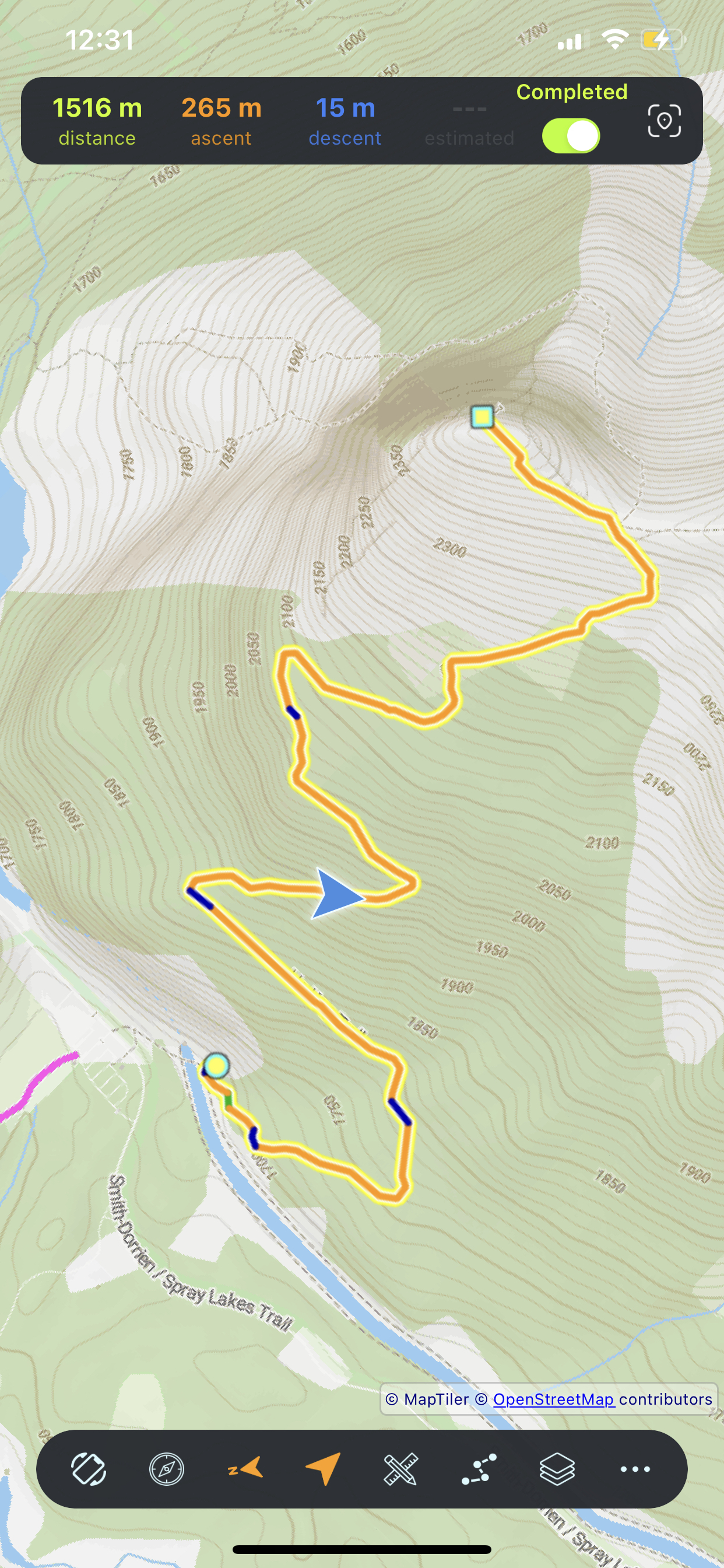
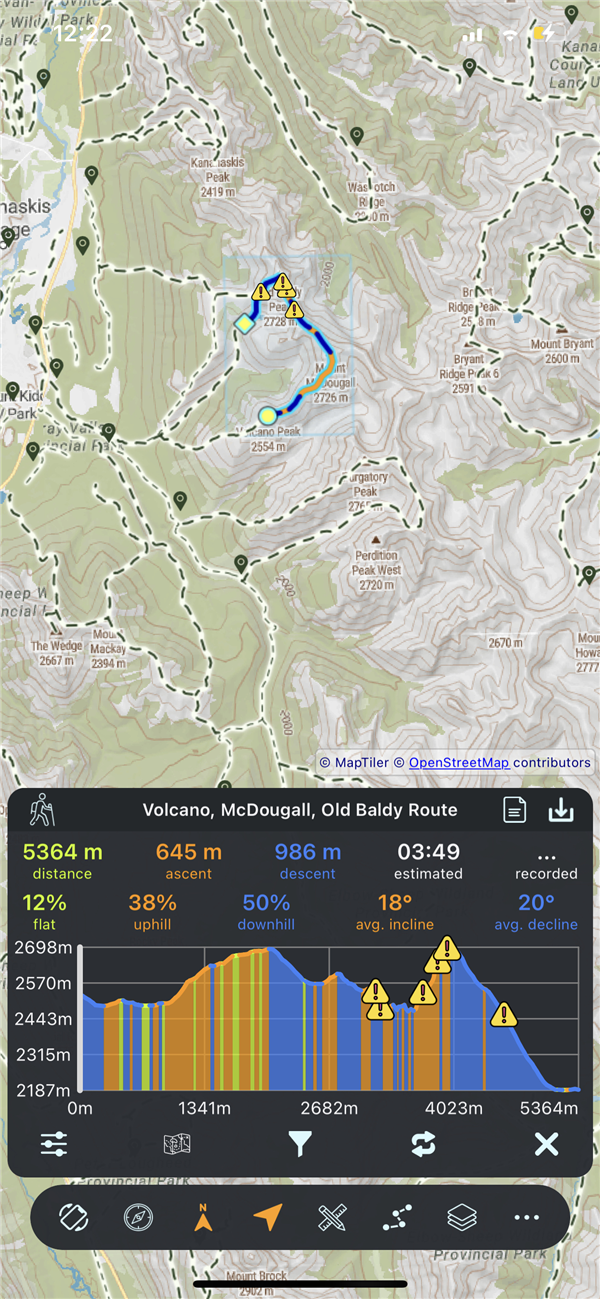
Green=flat, orange=climb, blue=descent, yellow=steep
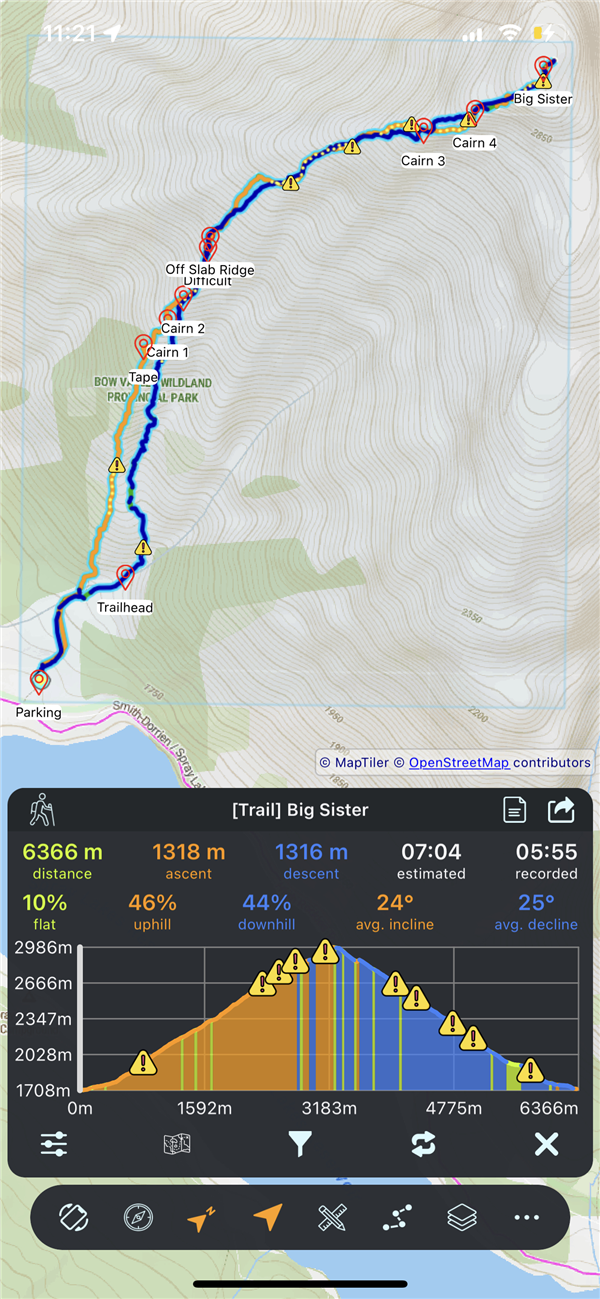
Interactive track profile β drag to scrub and center the map on that position
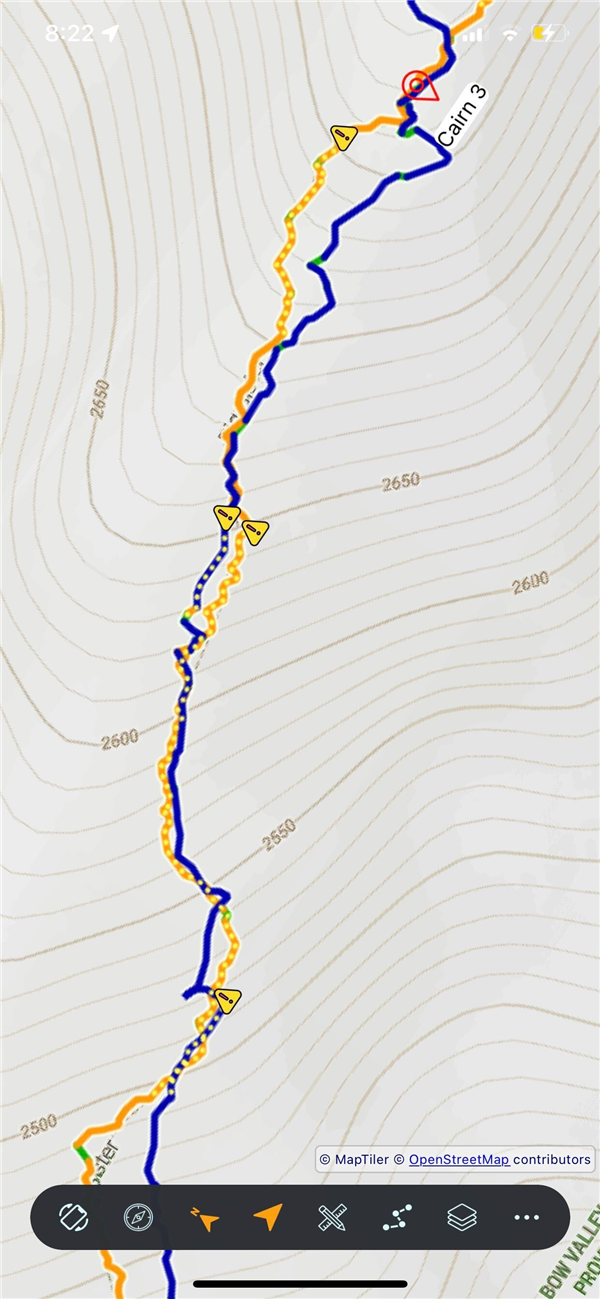
Yellow dashed overlay on steep terrain
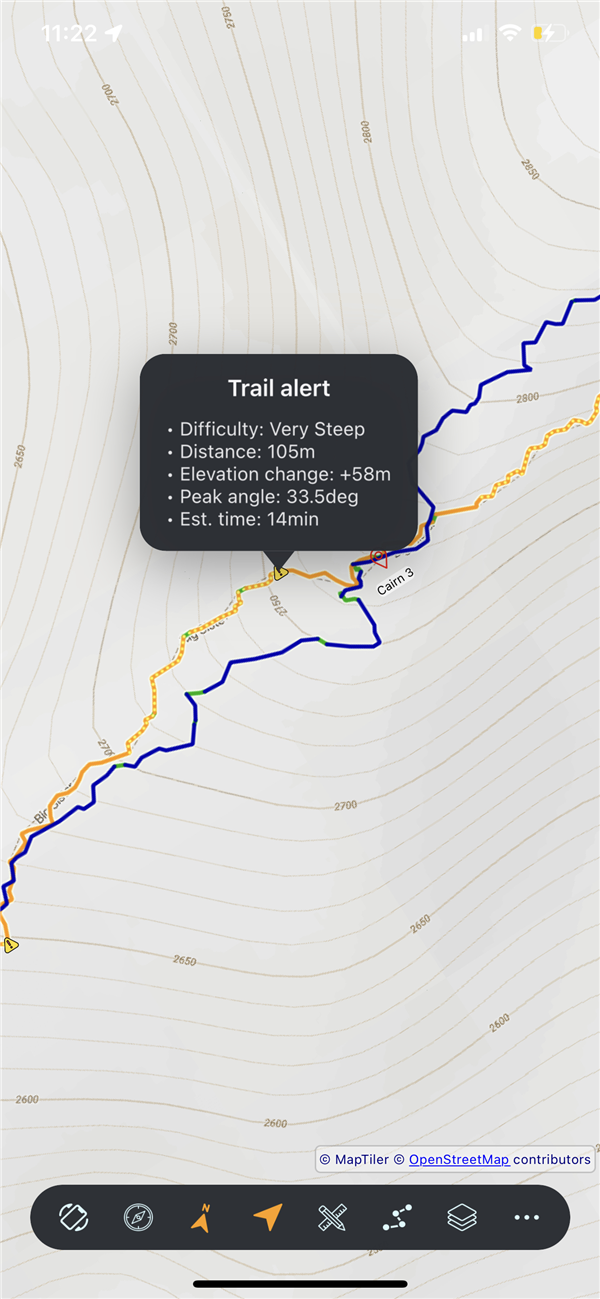
Tap warnings for detailed grade explanations
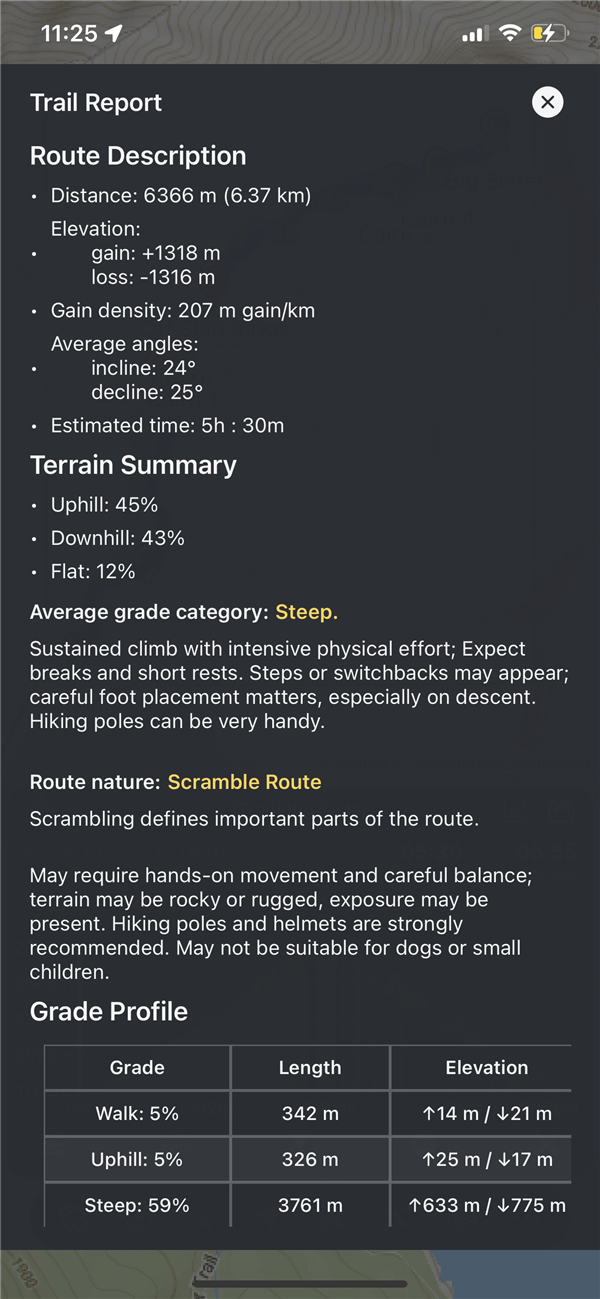
Comprehensive terrain analysis with tables
Distance, gain, loss, time, min/max elevation
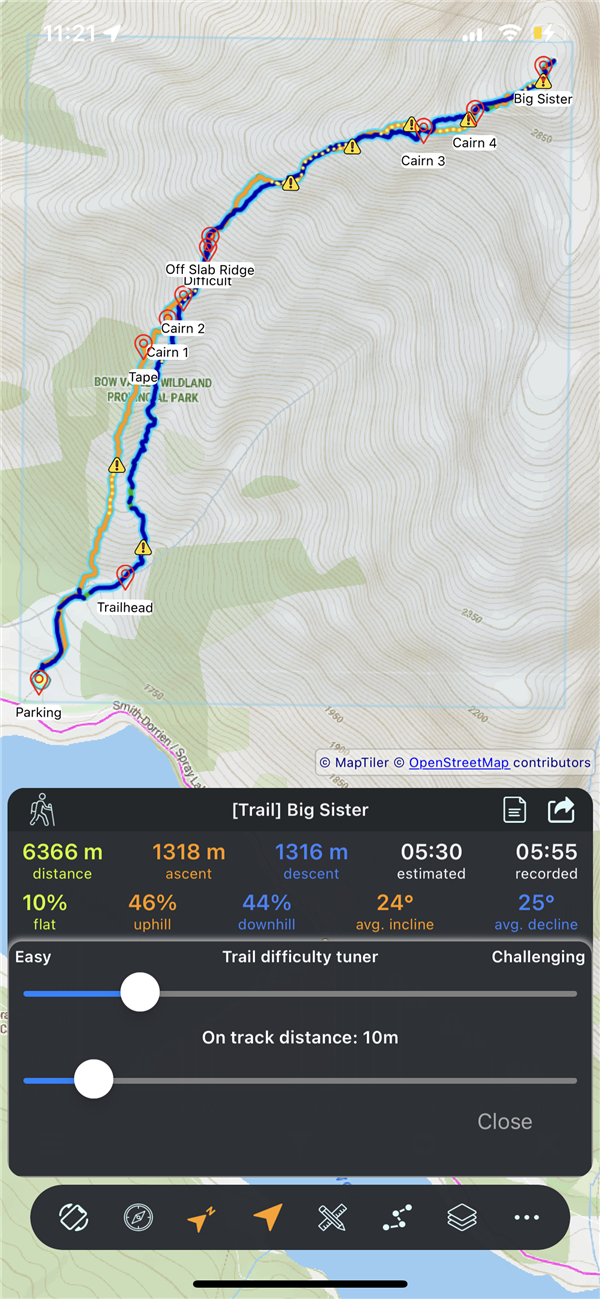
Terrain complexity, on-track distance threshold
To max altitude, to max distance, direction
Export, share, rename, reverse, delete tracks
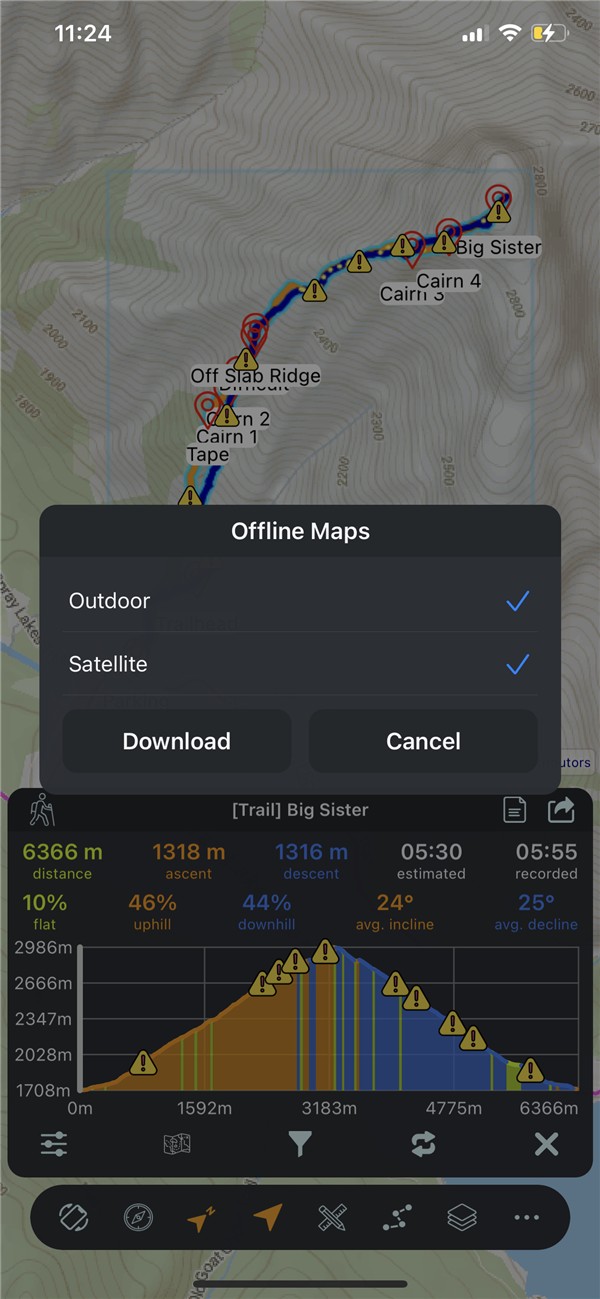
Download map tiles along your track
Auto-downloads elevation for OSM/Builder tracks
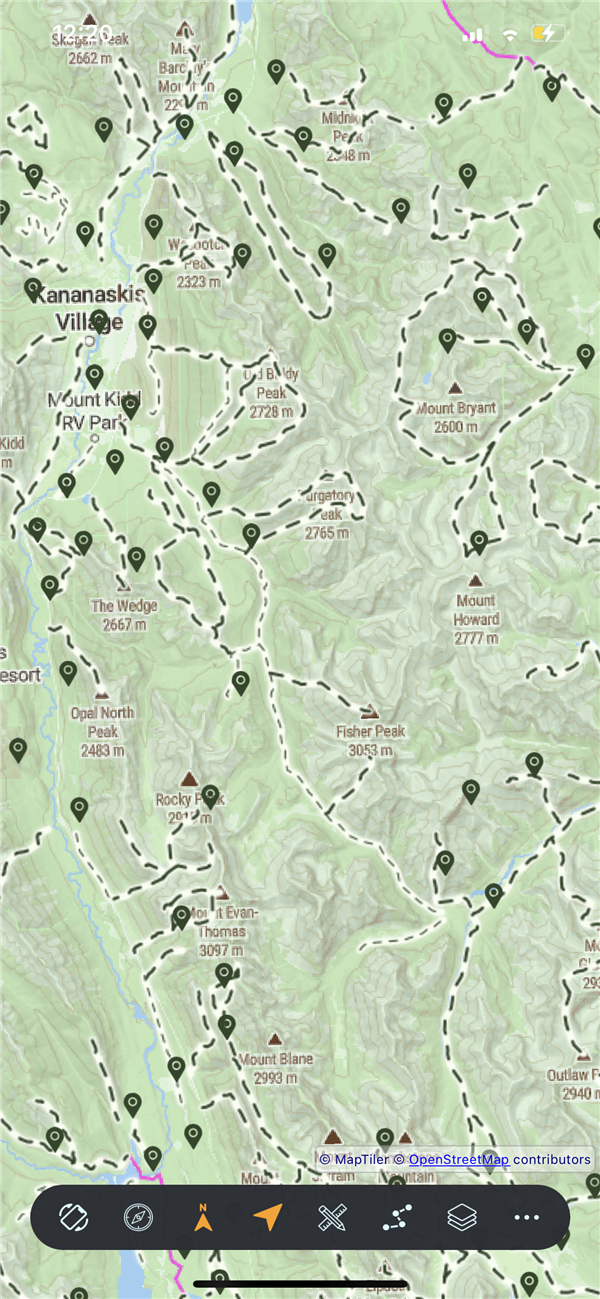
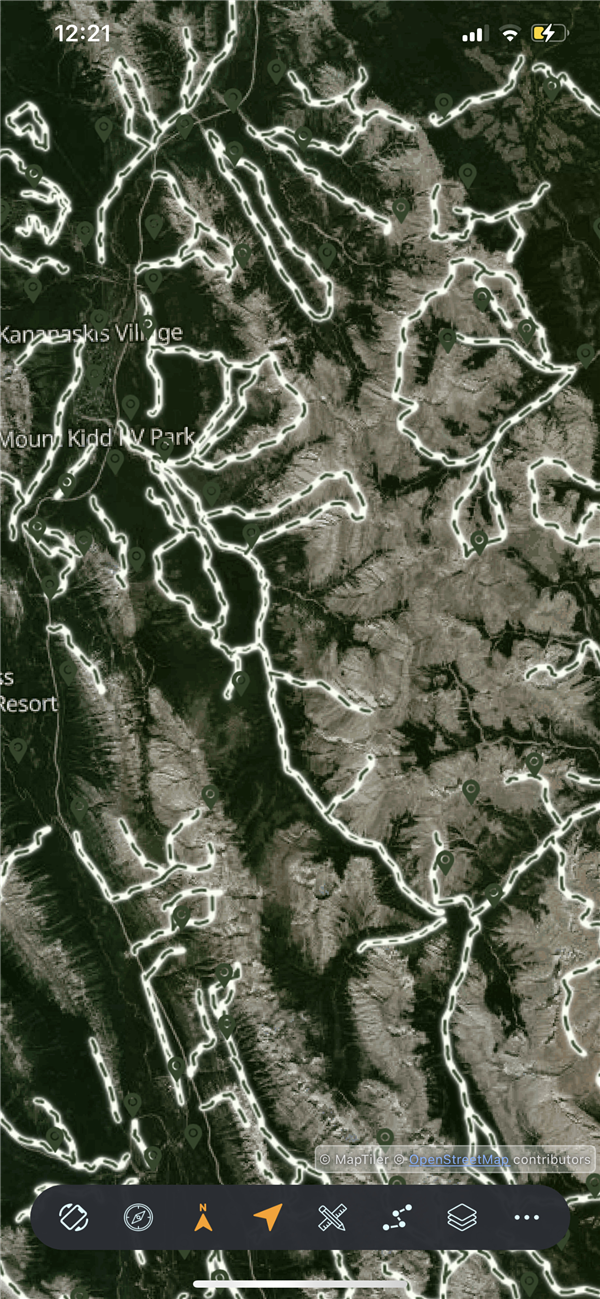
Choose four different maps, each optimized for different activities and terrain visualization needs.
| Map | Best For | Features |
|---|---|---|
| Outdoor | Hiking, trail running | Contour lines, trail markings, terrain shading |
| Topographic | Detailed topography | High-detail contours, elevation data |
| City | Urban navigation | Streets, buildings, urban landmarks |
| Satellite | Terrain analysis | Real aerial imagery, hybrid labels |
Outdoor
Topographic
City
Satellite
Control the map with intuitive touch gestures. Every interaction is designed to feel natural and responsive.
| Gesture | Action |
|---|---|
| One finger drag | Pan the map in any direction |
| Pinch in/out | Zoom β centers on point between fingers |
| Two finger rotate | Rotate map orientation |
| Single tap | Select trail, waypoint, or track |
| Long press | Open context menu at that location |
Keep the map centered on your GPS position as you move. Essential for navigation while hiking.
The map rotates based on your phone's compass, so the top of the screen always shows the direction you're facing.
On-screen compass indicator shows north direction. The compass rotates to always point north, helping you orient yourself on the map.
Long-press anywhere on the map to access location-specific actions.
| Option | What It Does |
|---|---|
| Create Waypoint | Create a waypoint at the location |
| Show Weather | Get weather conditions for this point |
| Navigate in Google Maps | Navigate to the location in Google Maps |
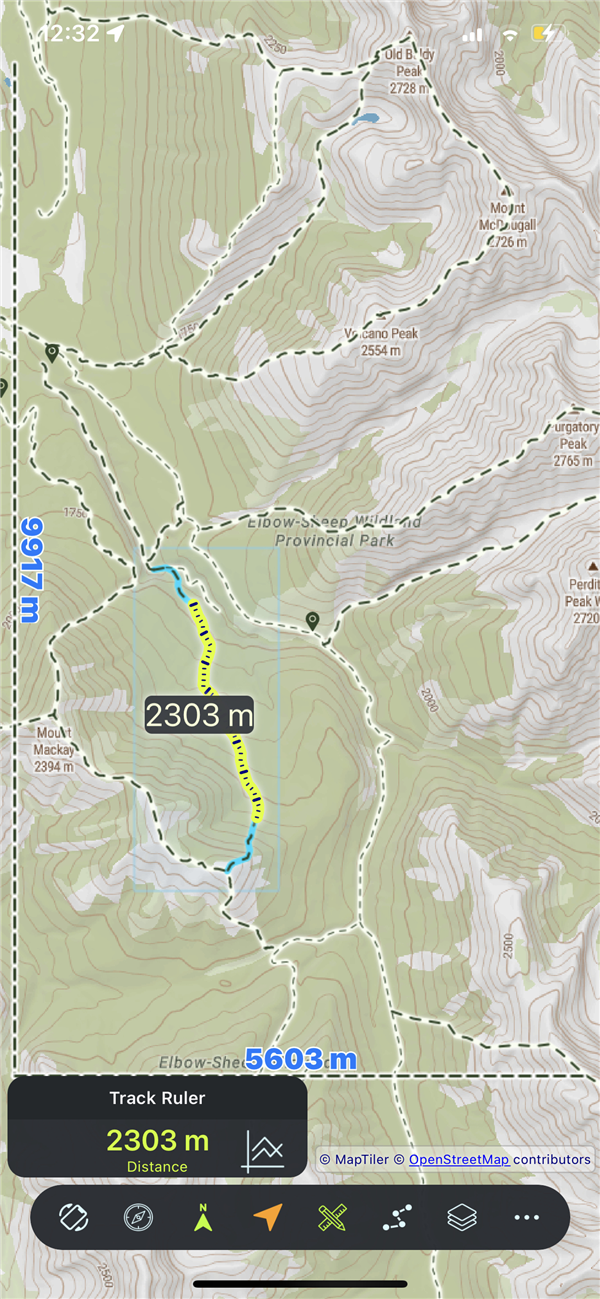
| Measure from this point | Start the ruler at this location; then drag the pulsing ruler head to measure distance (works in free mode or along a selected track) |
Tap the location marker (arrow) on the map to show the Info Panel. It appears just above the marker and displays three critical GPS values, updating in real-time with each GPS reading.
| Field | What It Shows |
|---|---|
| Altitude | Your elevation above sea level (meters or feet) |
| Velocity | Current movement velocity, updates while moving |
| Accuracy | GPS precision β lower = better. |
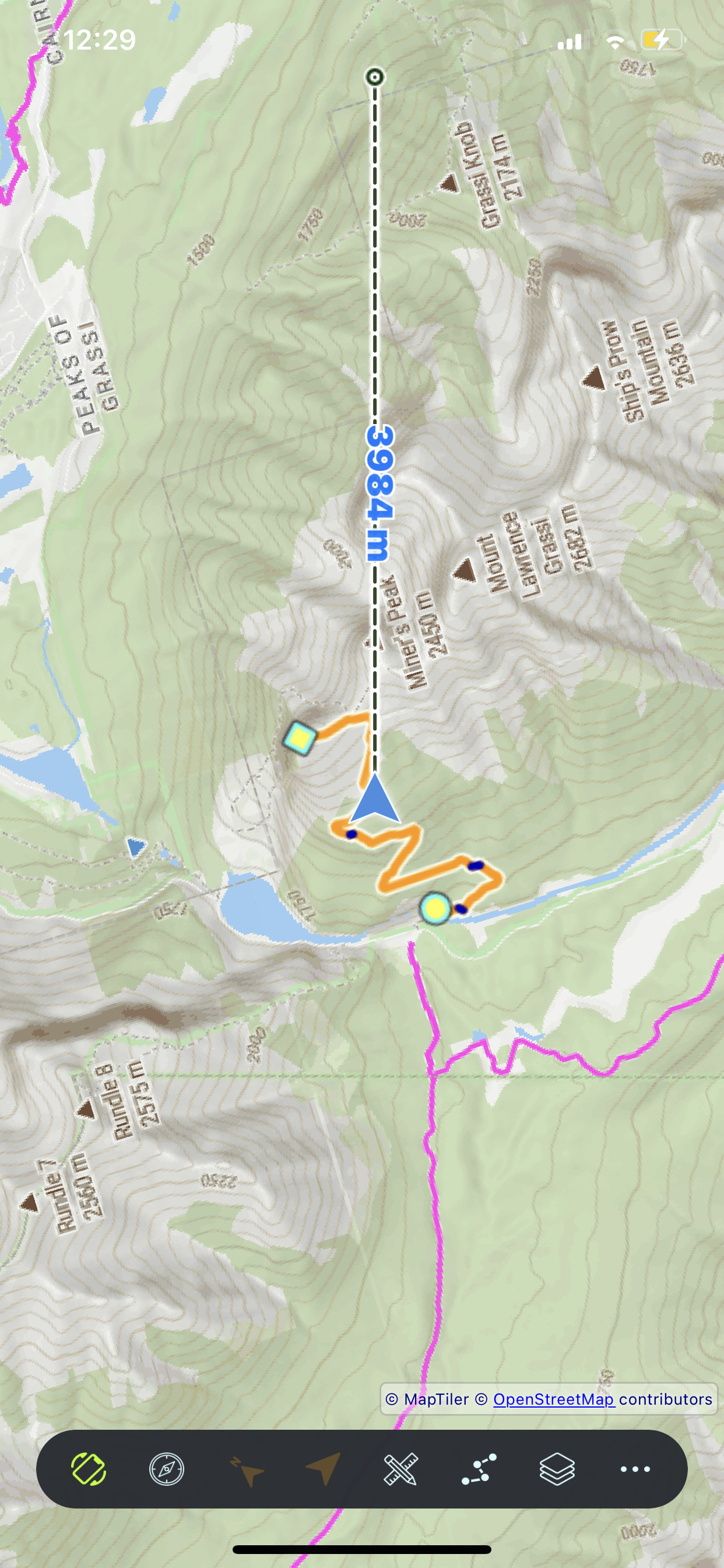
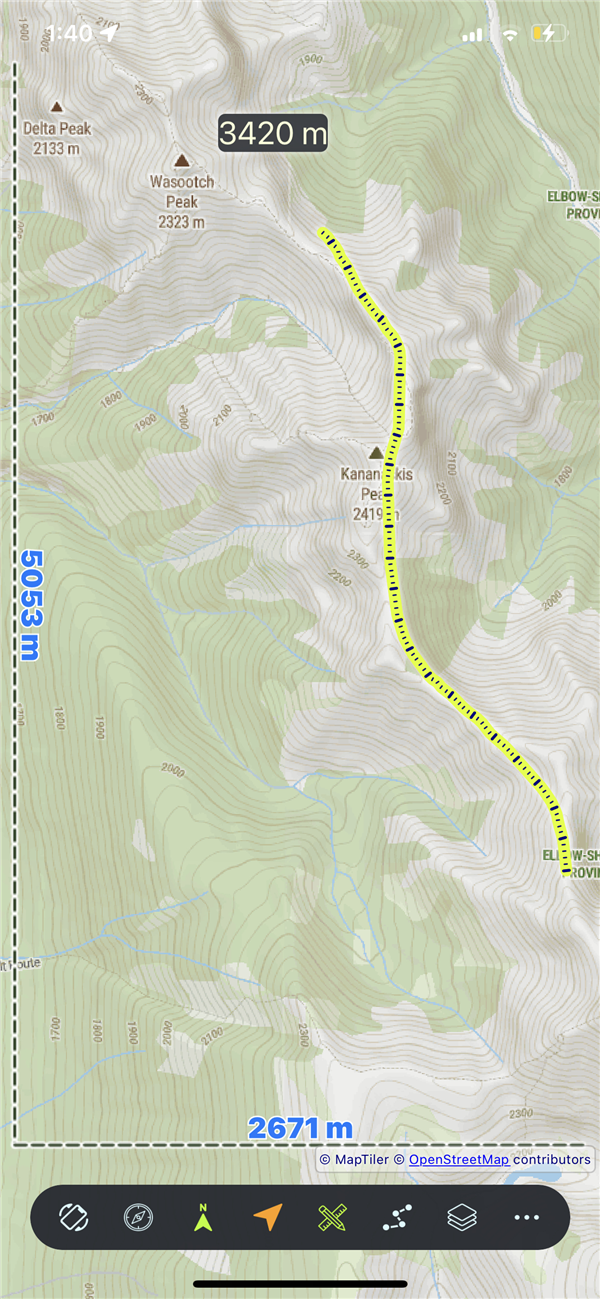
Measure straight-line (crow-flies) distance by dragging a marker on the map. Terrain and elevation are not taken into account.
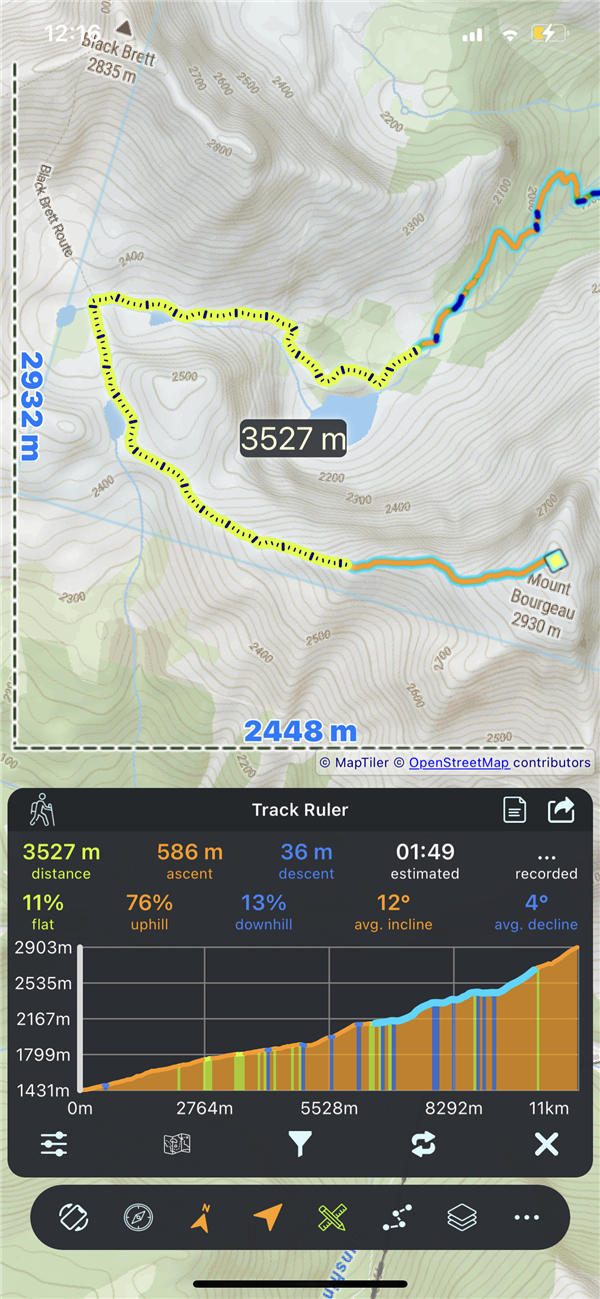
Measure distance along a selected GPX track or OSM trail by dragging the ruler head; it snaps to the path so the measurement follows the actual route. Elevation chart and statistics sync with the measured segment.
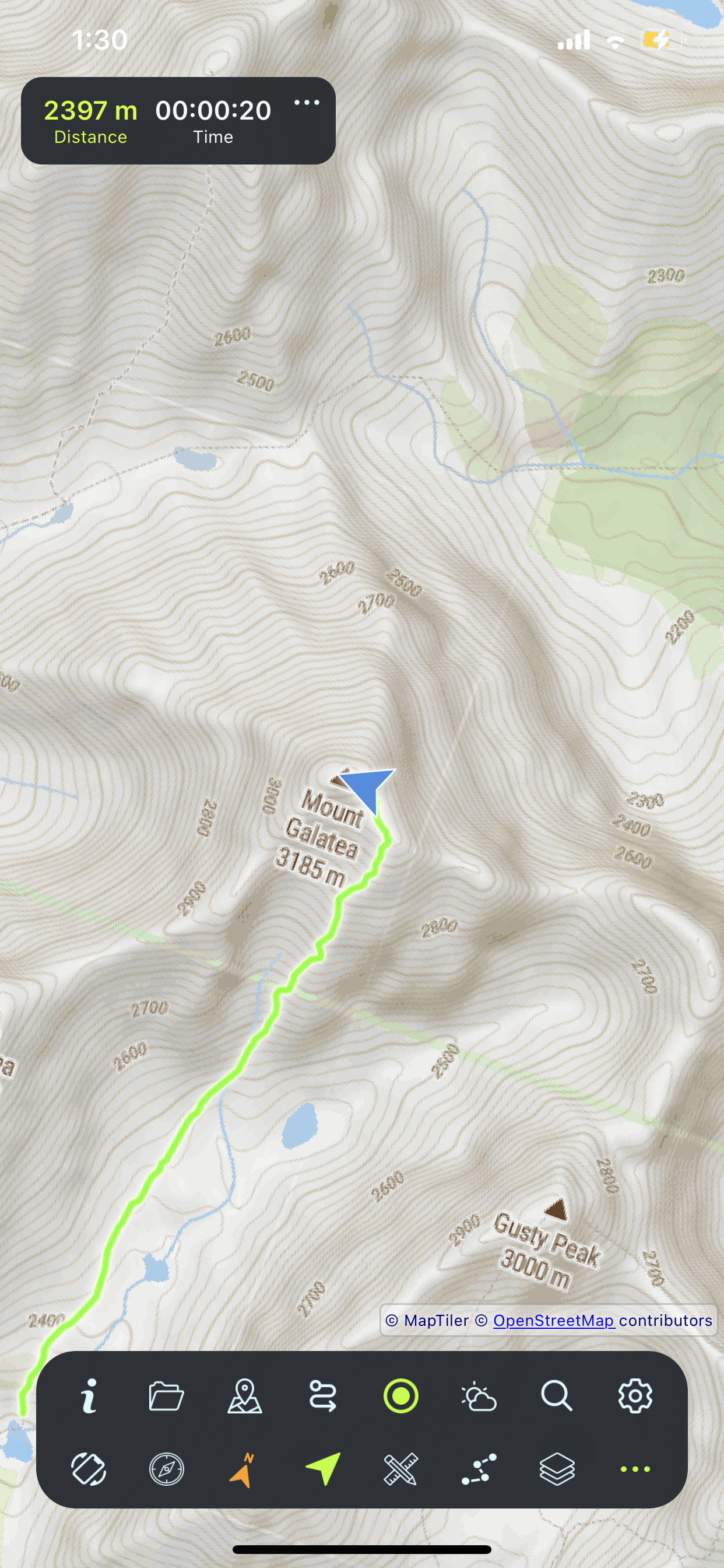
One tap to start, one tap to stop. Your GPS path traces on the map in real-time.
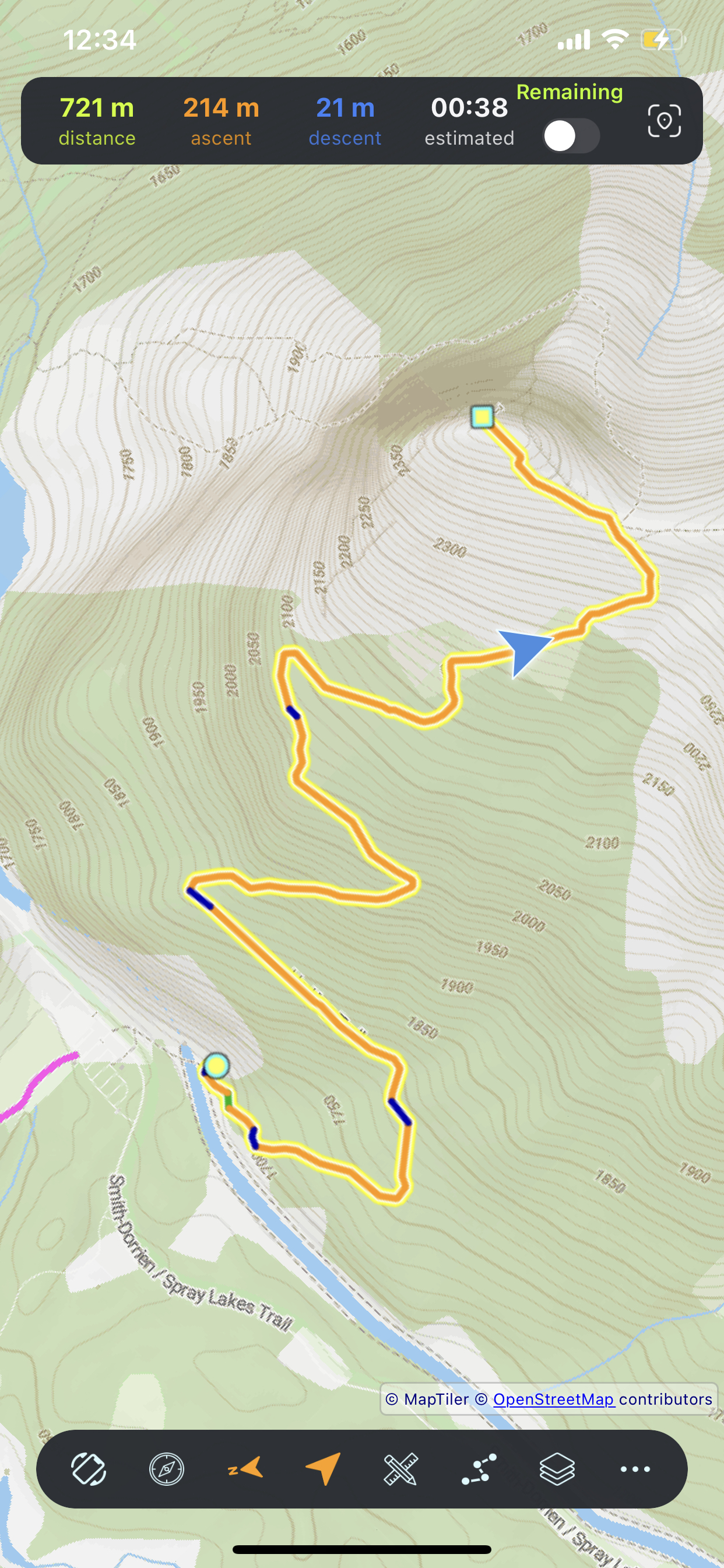
Real-time statistics displayed at the top of the screen while recording. Tap to expand for more details.
| Stat | Description |
|---|---|
| Distance | Total distance traveled so far |
| Time | Elapsed recording time |
| Gain βοΈ | Total elevation climbed |
| Loss βοΈ | Total elevation descended |
Recording continues when you lock your screen, switch apps, or put your phone in your pocket. Never miss a step.
Load any standard GPX file from your device. Track appears on the map with full analysis and statistics.
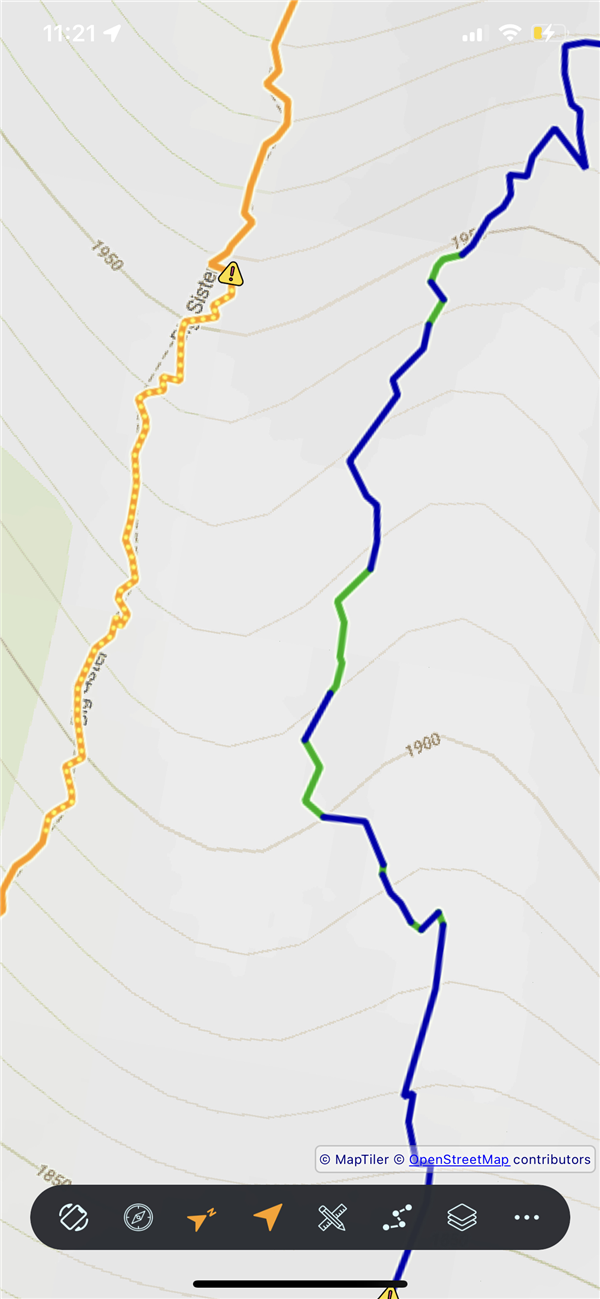
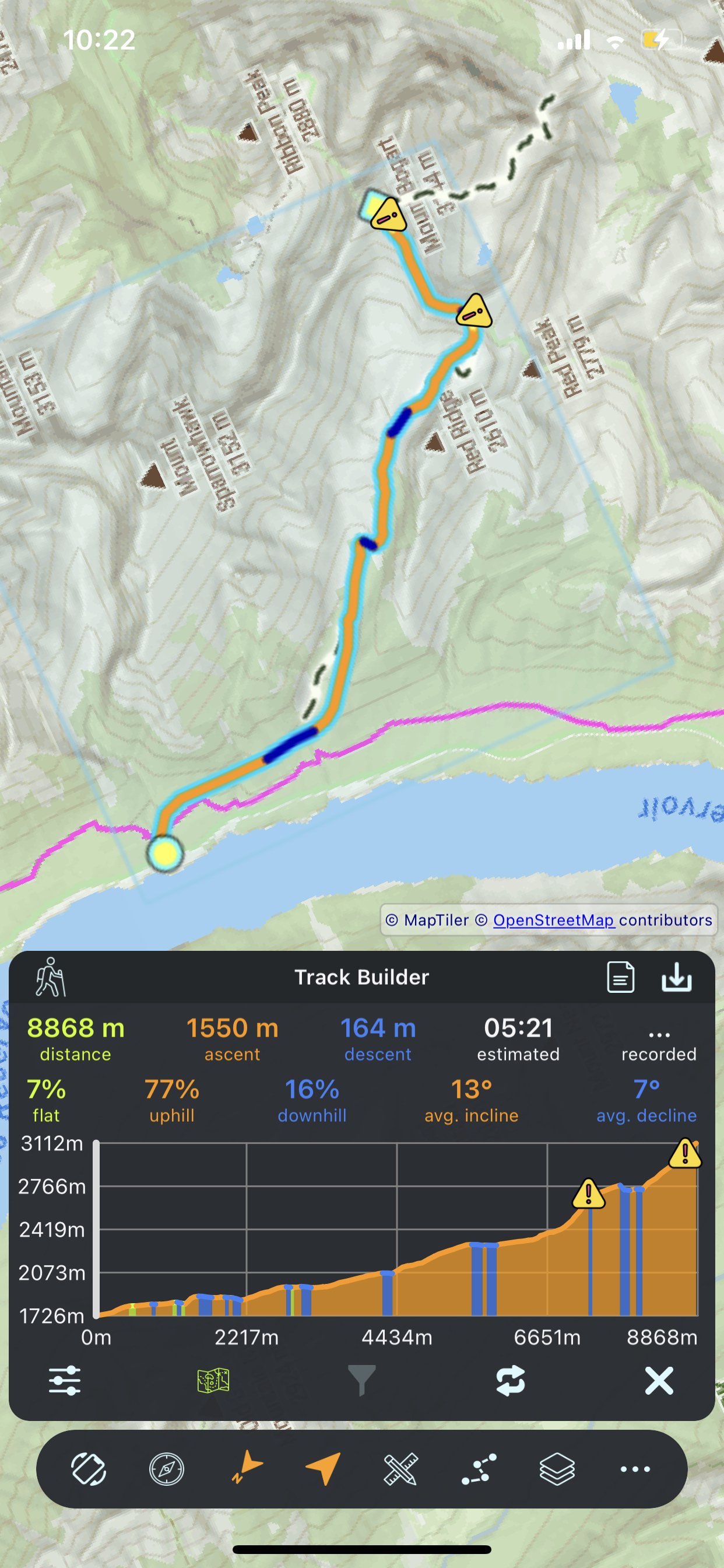
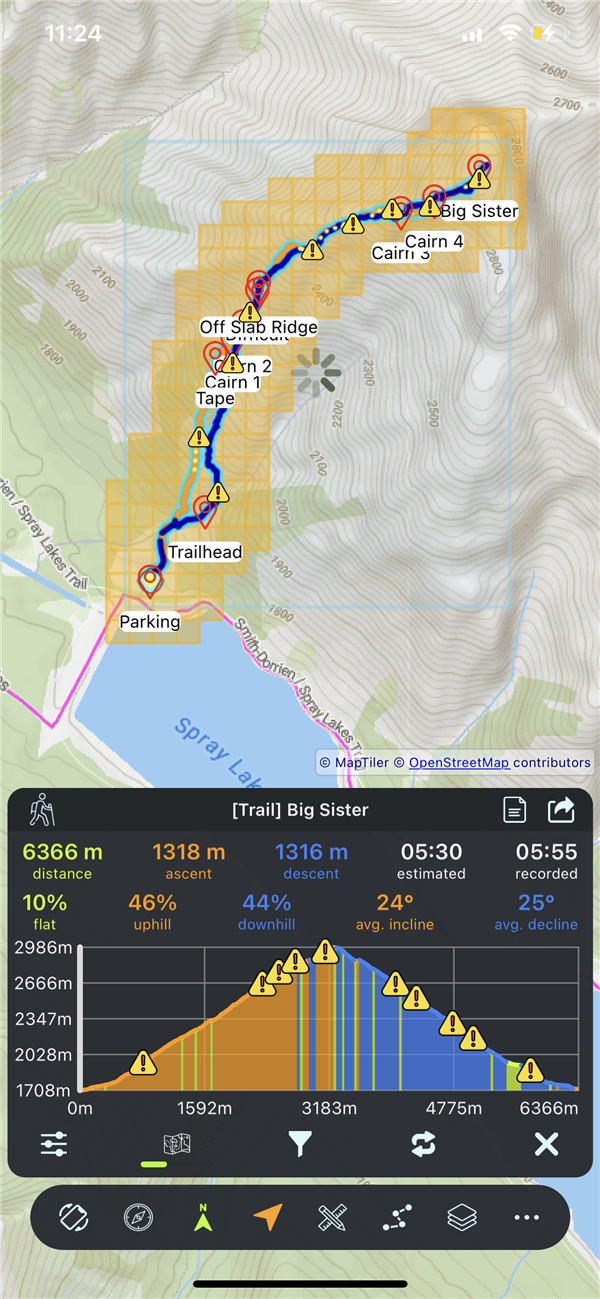
Tracks display with colors indicating terrain type. See at a glance where the climbs and descents are.
| Color | Meaning | Description |
|---|---|---|
| π’ Green | Flat | Level terrain (insignificant elevation change) |
| π Orange | Ascent | Climbing / Uphill sections |
| π΅ Blue | Descent | Descending / Downhill sections |
| π‘ Yellow | Difficult | Steep sections (> 28Β° slope) overlay |
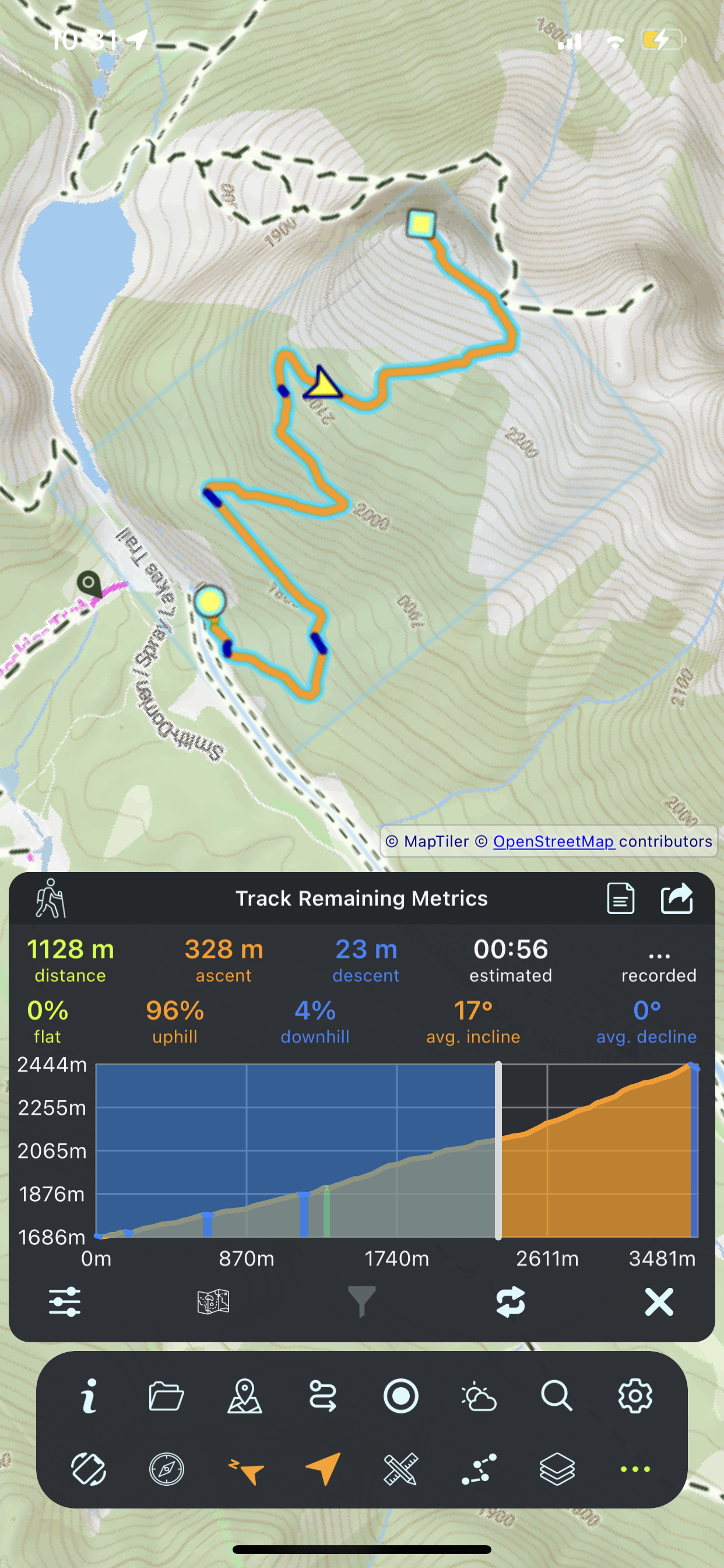
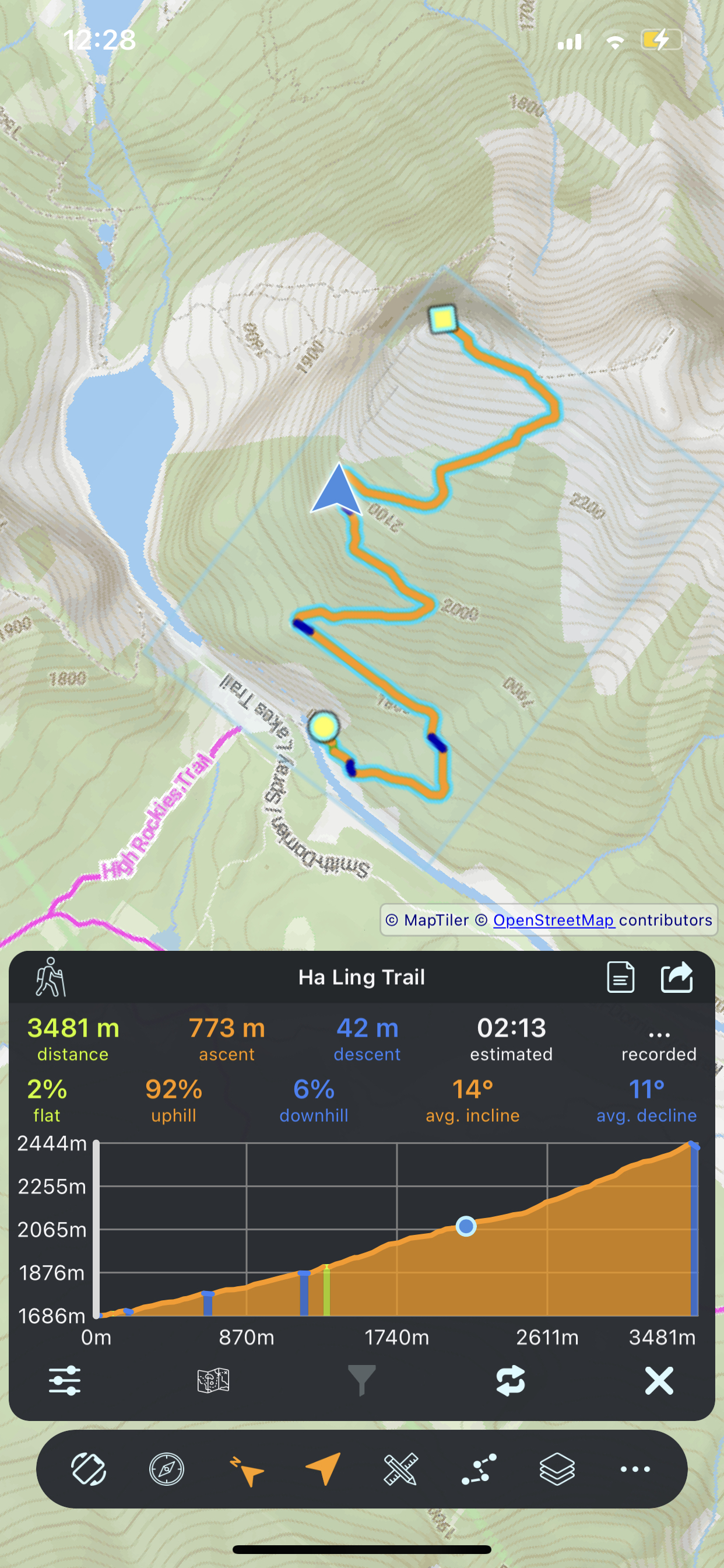
Interactive chart showing the vertical profile of your track. Visualize every climb and descent along the route.
Steep or challenging terrain is automatically detected and highlighted with a distinct visual overlay.
Warning markers appear at critical locations. Tap any alert for detailed technical information about high-grade segments.
Comprehensive terrain analysis with detailed tables, statistics, and section-by-section breakdown.
Essential metrics calculated automatically when you load any track.
| Stat | Description |
|---|---|
| Distance | Total track length |
| Elevation Gain | Total meters/feet climbed |
| Elevation Loss | Total meters/feet descended |
| Estimated Time | Approximate hiking duration |
| Recorded Time | Actual time from GPX data |
| Terrain % | Flat, uphill, downhill percentages |
| Avg Angles | Average incline/decline angles |
Customize how statistics are calculated based on expected terrain difficulty.
| Setting | Effect |
|---|---|
| Terrain Complexity | Easy/Moderate/Difficult β adjusts time estimates |
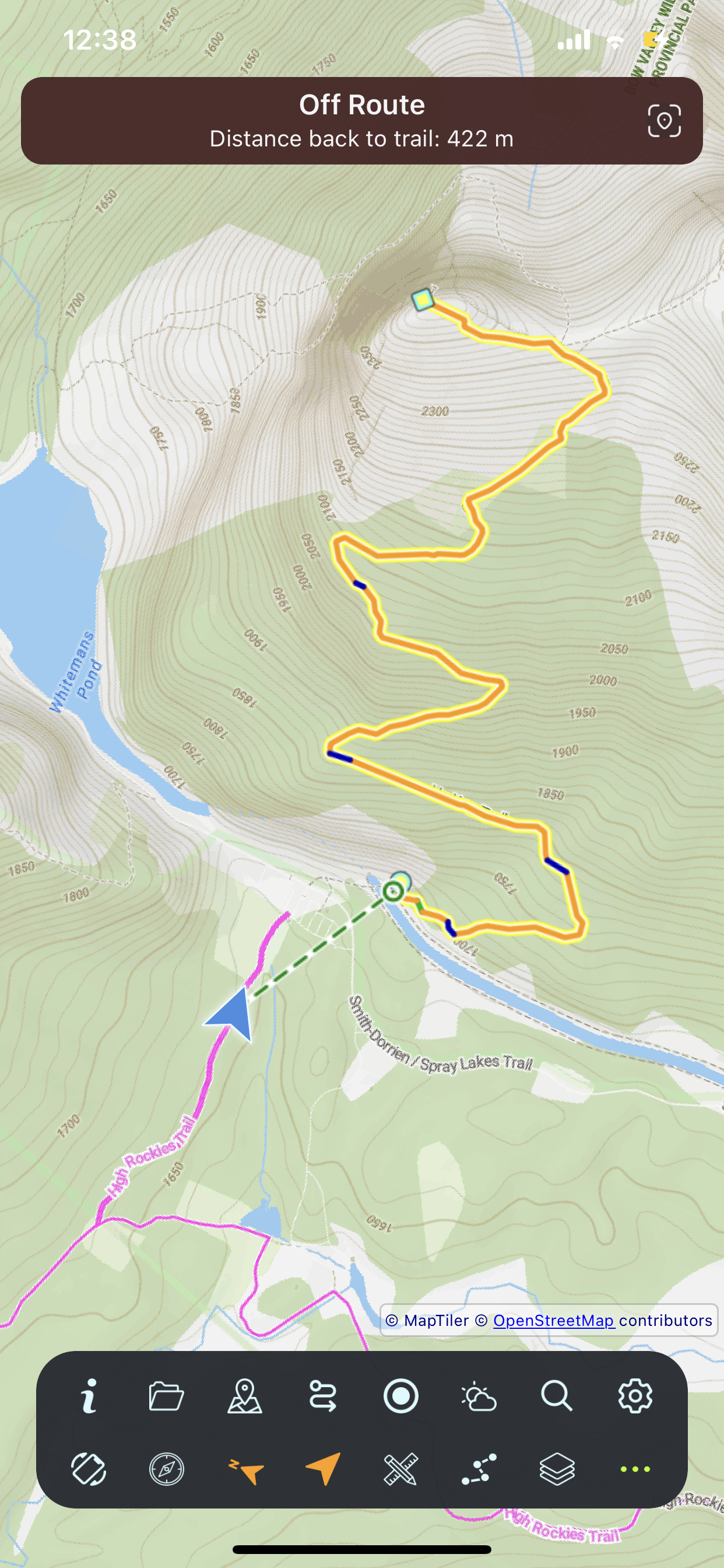
| On-Track Distance | Threshold for "on track" vs "off track" detection |
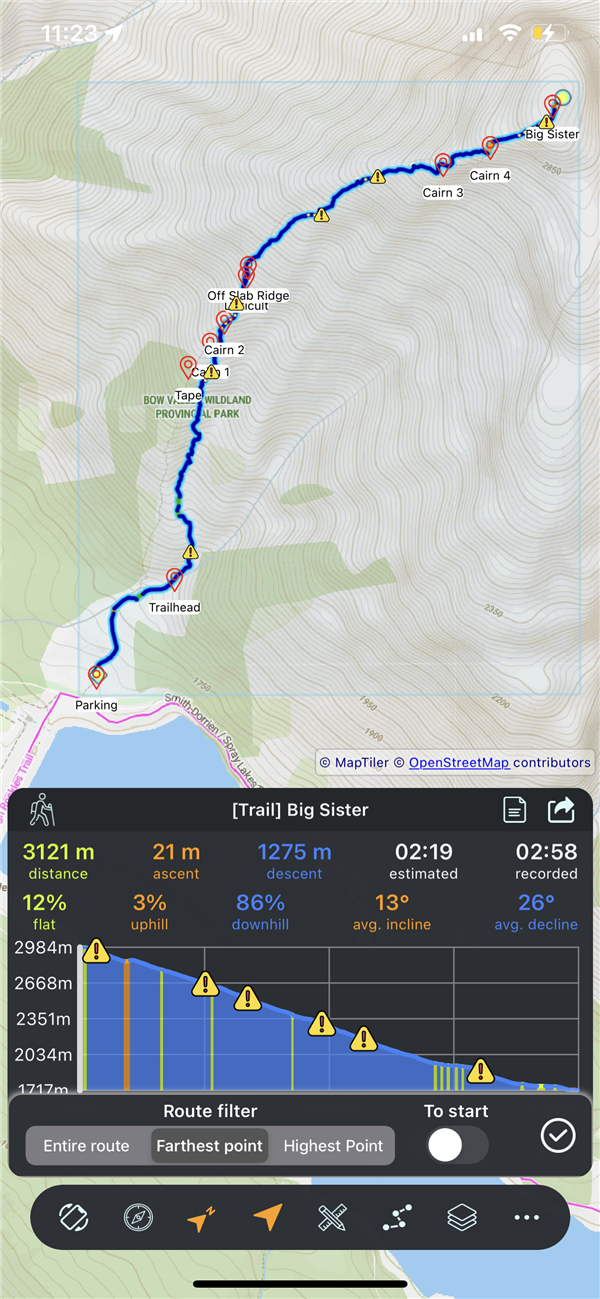
Filter the track view to show specific sections for detailed analysis.
| Filter | Shows |
|---|---|
| No Filter | Entire track |
| To Max Altitude | From start to highest point |
| To Max Distance | From start to furthest point |
Full track management: save to device, share with others, or manage your tracks.
| Action | What It Does |
|---|---|
| Save | Save track as GPX file to device |
| Share | Send via email, messaging, cloud |
| Rename | Change track name (long press on track name) |
| Reverse | Flip direction β start becomes end |
| Delete | Remove track from app |
Download map tiles along your track for use without cell service. Navigate remote areas with confidence.
Offline maps are stored with their associated GPX tracks. Deleting the offline map removes the downloaded tiles but keeps the GPX track data.
For tracks created from OSM trails or Track Builder, elevation data downloads automatically from online services. No user action required.
Highlight all OpenStreetMap trails in the visible map area. Discover hiking paths, cycling routes, and nature trails anywhere in the world without knowing their names. Accessed through Finder mode, which provides a unified interface for both trail discovery and search.
Search for trails by full or partial name inside the currently visible map area. To search another region, pan or zoom first, then run the query again. Search is part of Finder mode (same entry point as trail highlight), and named search / visible-area highlight run one at a time.
When many OSM trails are highlighted in the visible area, use the visibility filter to narrow them down by physical characteristics. Filtering is instant and client-side β no server round-trip needed.
| Filter | What It Does | Value |
|---|---|---|
| Min Length | Hide trails shorter than this distance | Meters (0 = no minimum) |
| Max Length | Hide trails longer than this distance | Meters (0 = no maximum) |
| Max Elevation Gain | Hide trails with more vertical change (uses the greater of gain or loss, direction-independent) | Meters (0 = no limit) |
| Max ETA | Hide trails whose estimated completion time exceeds this | Minutes (0 = no limit) |
| Min Peak Altitude | Require trails to reach at least this altitude at their highest point | Meters (0 = no minimum) |
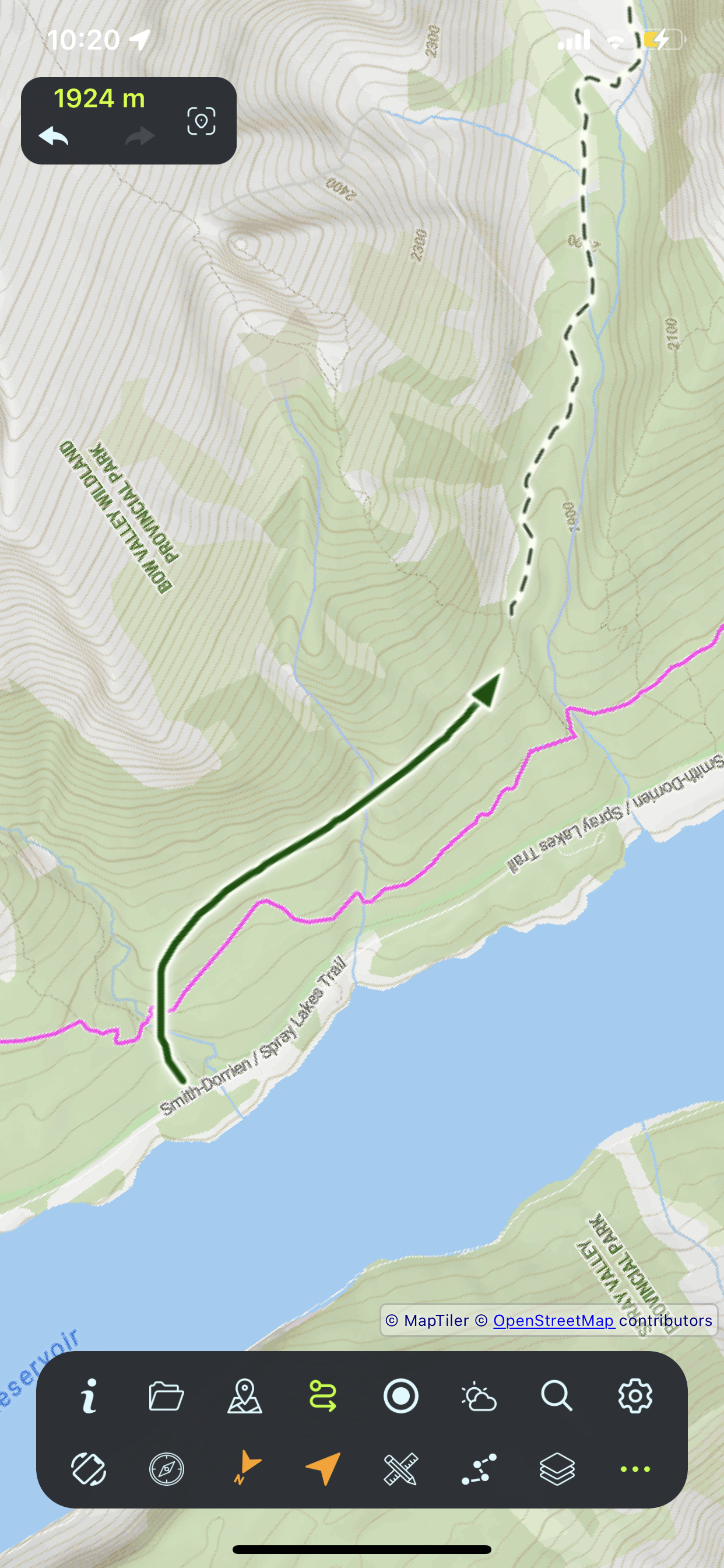
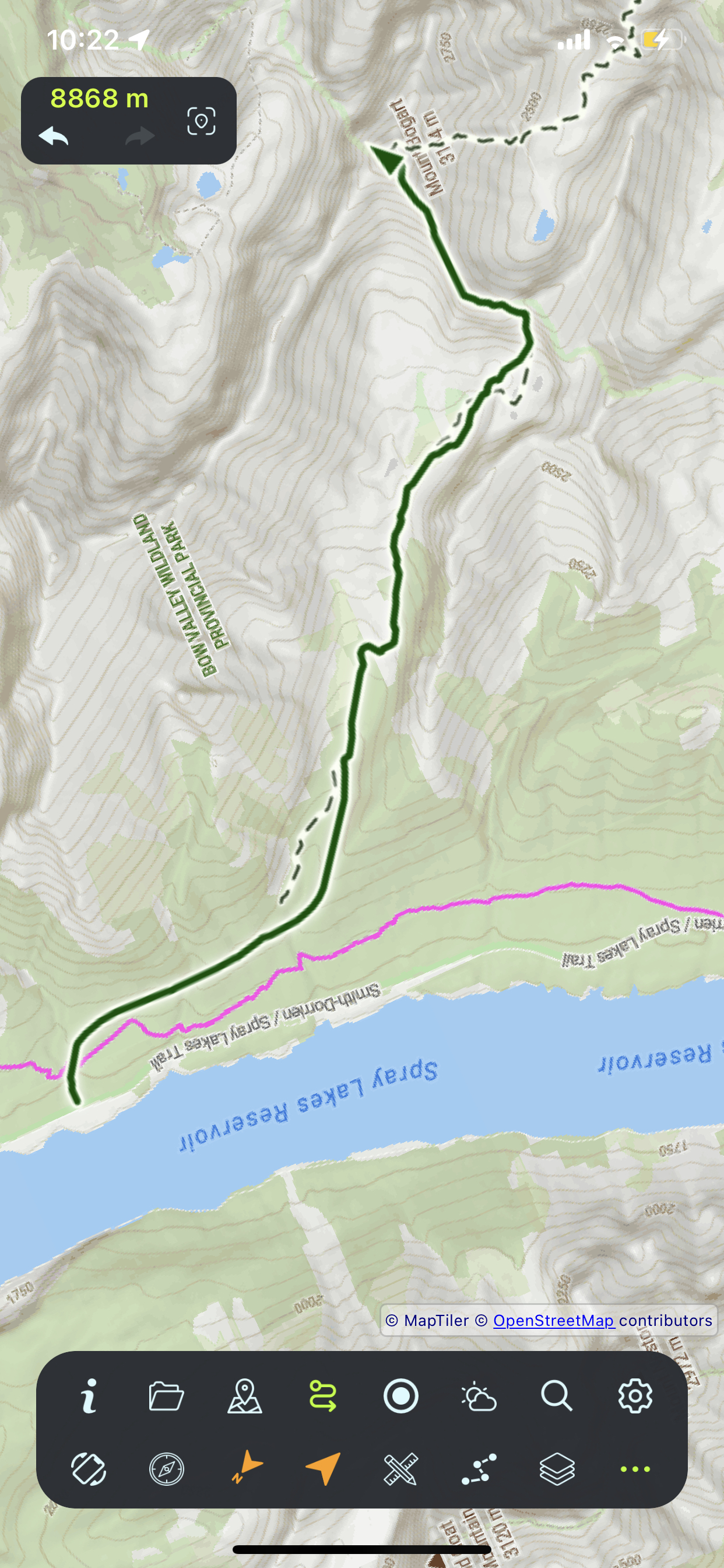
Create custom routes by drawing directly on the map. Freehand drawing with real-time distance tracking, undo/redo, and precision controls.
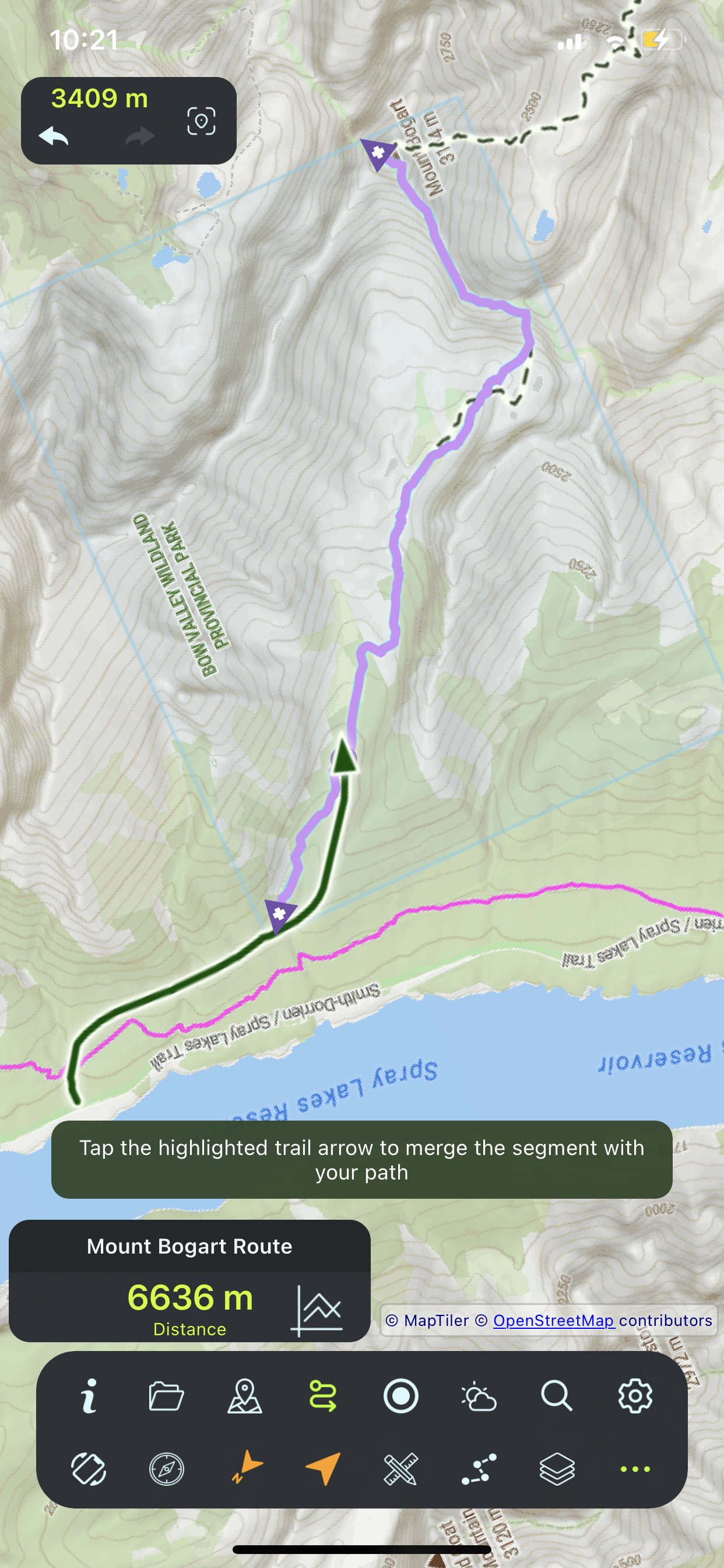
Merge existing OSM trails into your custom route. One of Track Builder's most powerful features β combine official trails with your custom paths for perfect routes.
| Indicator | Meaning | What It Shows |
|---|---|---|
| Pink trail | Selected trail ready to merge | Trail is active and can be appended |
| Directional arrows | Append points at trail ends | Tap to extend route from intersection to this end |
| Circle marker | Intersection point | Where your path meets the selected trail |
| Start/end markers | Route orientation | Circle = start, diamond = end of merged segment |
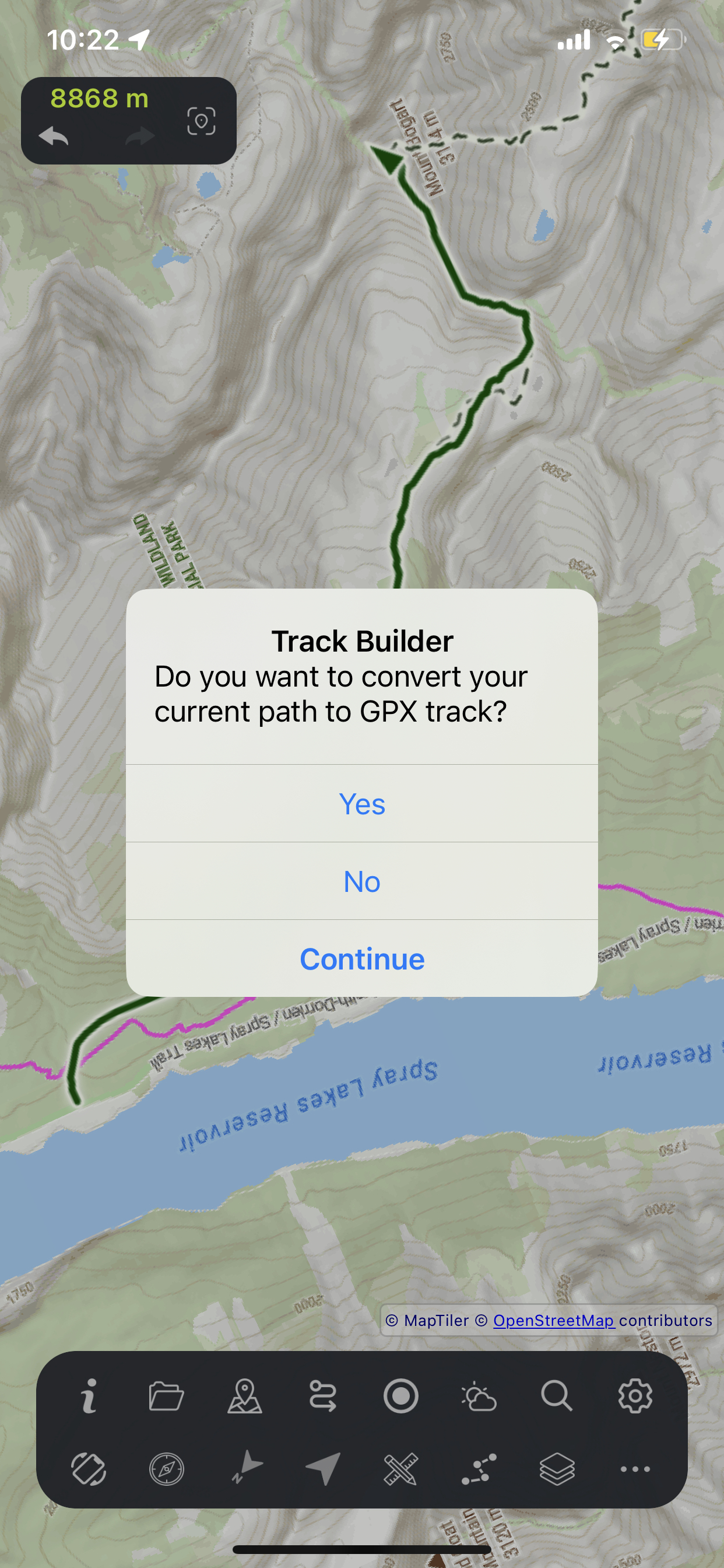
Exit Track Builder to save your drawn path as a full GPX track with automatic elevation data. Transforms your custom route into a complete track with all analysis features.
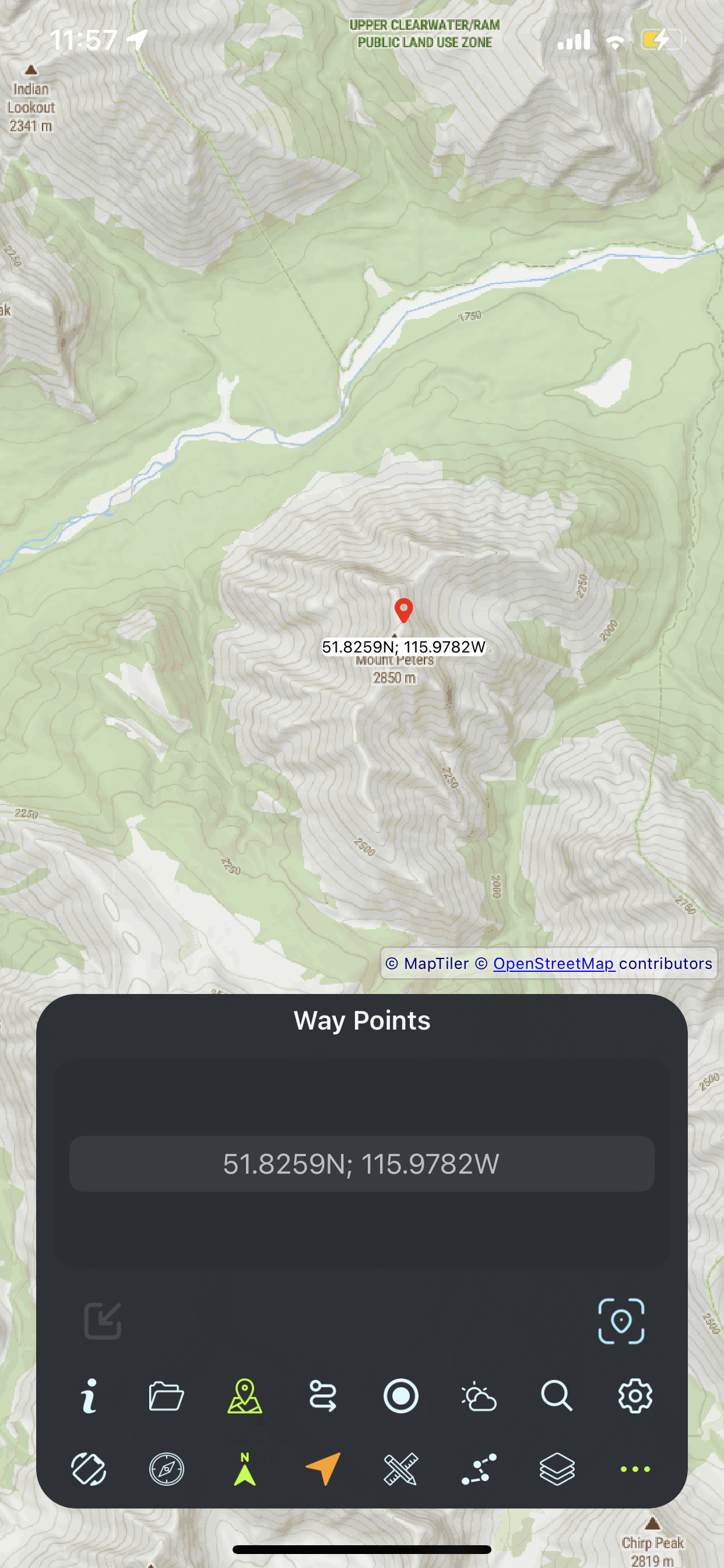
Mark important locations on the map for navigation, reference, and planning your outdoor adventures.
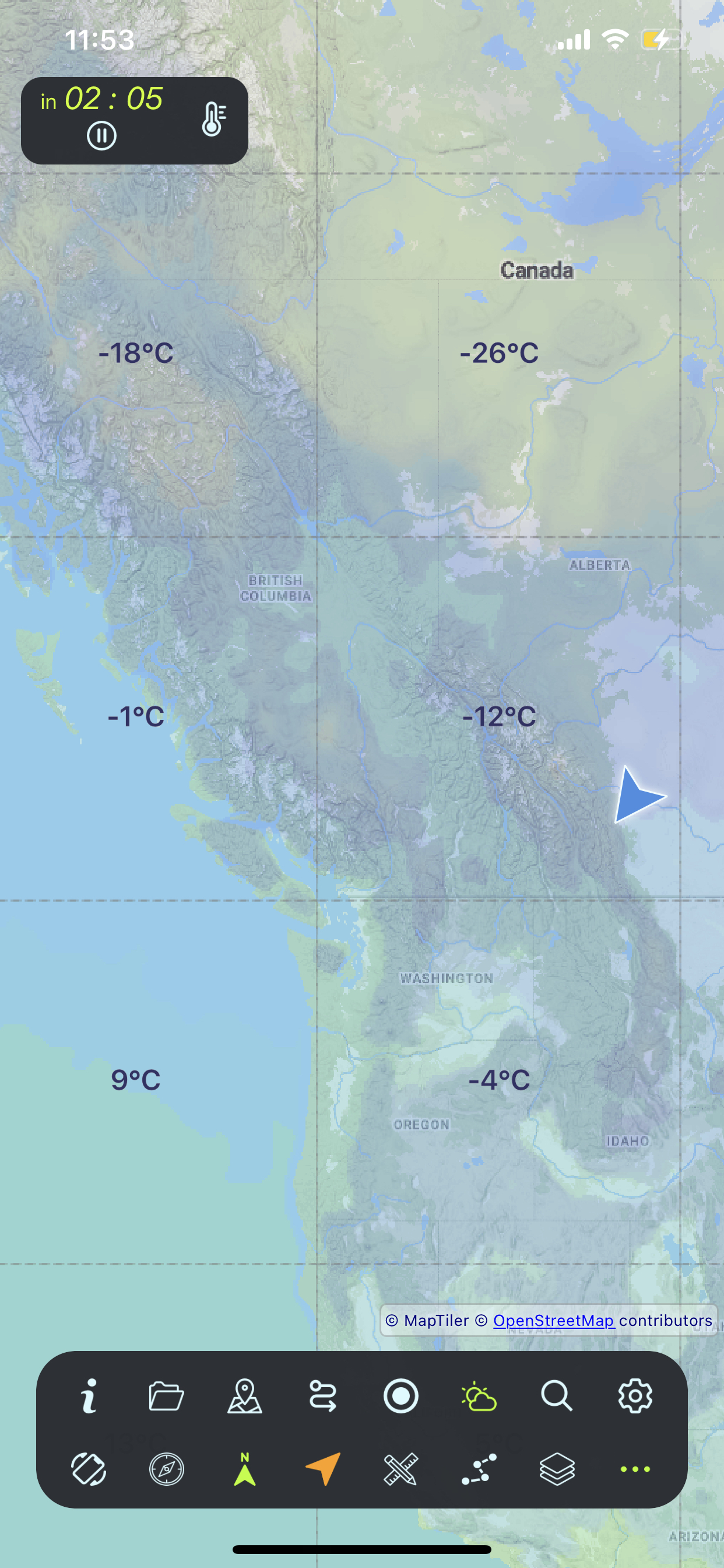
See temperature distribution across the map with color-coded areas and numeric labels.
| Map Color | Temperature Range |
|---|---|
| Very Cold (-40Β°C to -30Β°C) | |
| Cold (-30Β°C to -20Β°C) | |
| Cold (-20Β°C to -10Β°C) | |
| Freezing (-10Β°C to 0Β°C) | |
| Cool (0Β°C to 10Β°C) | |
| Mild (10Β°C to 20Β°C) | |
| Warm (20Β°C to 25Β°C) | |
| Warm (25Β°C to 30Β°C) | |
| Hot (30Β°C to 35Β°C) | |
| Very Hot (35Β°C+) |
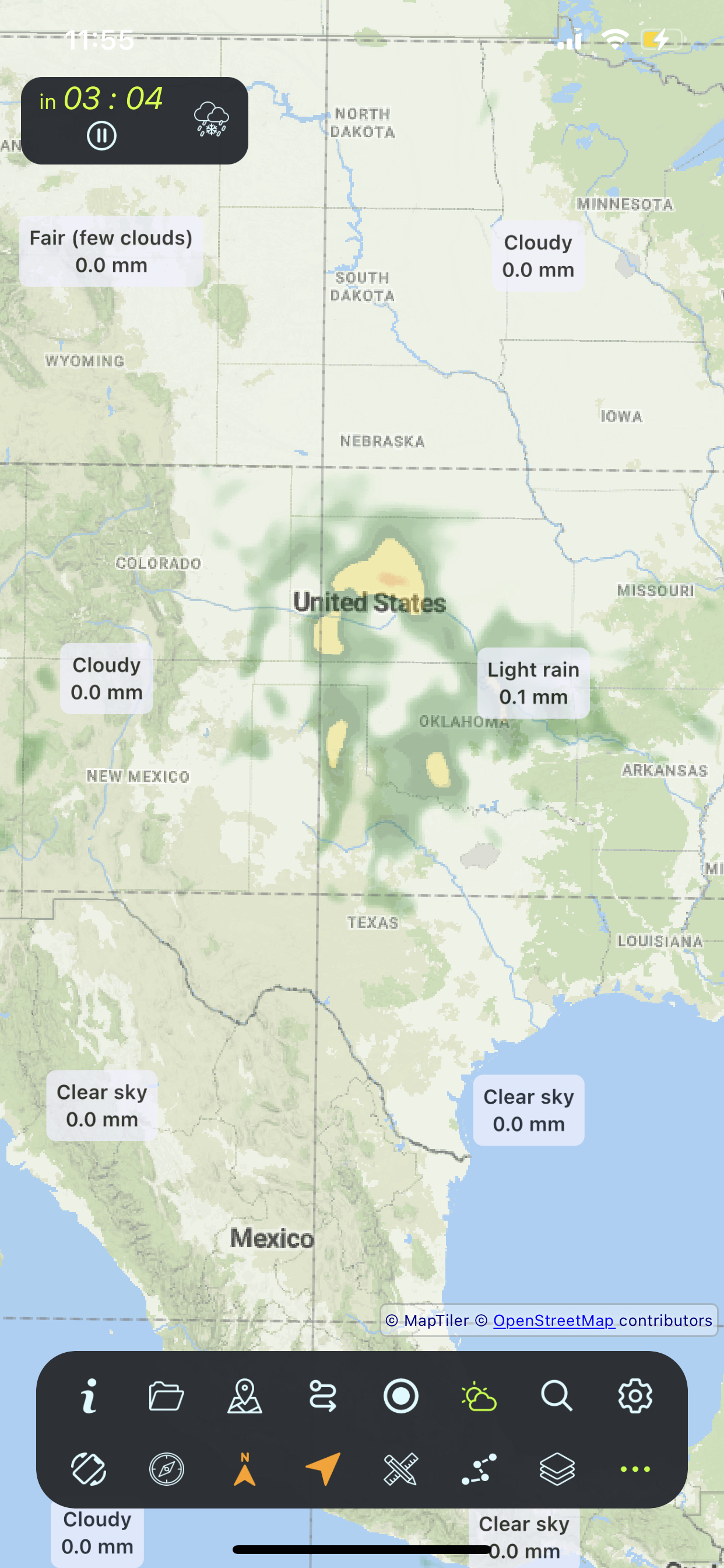
Current and forecasted precipitation with intensity coloring. In Radar mode, a draggable nowcast bubble (glassy circular overlay) shows a live four-line summary for the map location under the bubbleβs center. The bubble stays in screen space while you pan and zoomβdrag it to sample a different area. A faint outer ring marks the approximate forecast sampling footprint (~3.5 km).
| Map Color | Intensity (mm/h) |
|---|---|
| Very light drizzle (0.1-0.5) | |
| Light drizzle (0.5-1.0) | |
| Drizzle (1.0-2.0) | |
| Light rain (2.0-4.0) | |
| Moderate rain (4.0-8.0) | |
| Rain (8.0-16.0) | |
| Heavy rain (16.0-25.0) | |
| Very heavy rain (25.0-40.0) | |
| Intense rain (40.0-60.0) | |
| Extreme storms (60.0+) |
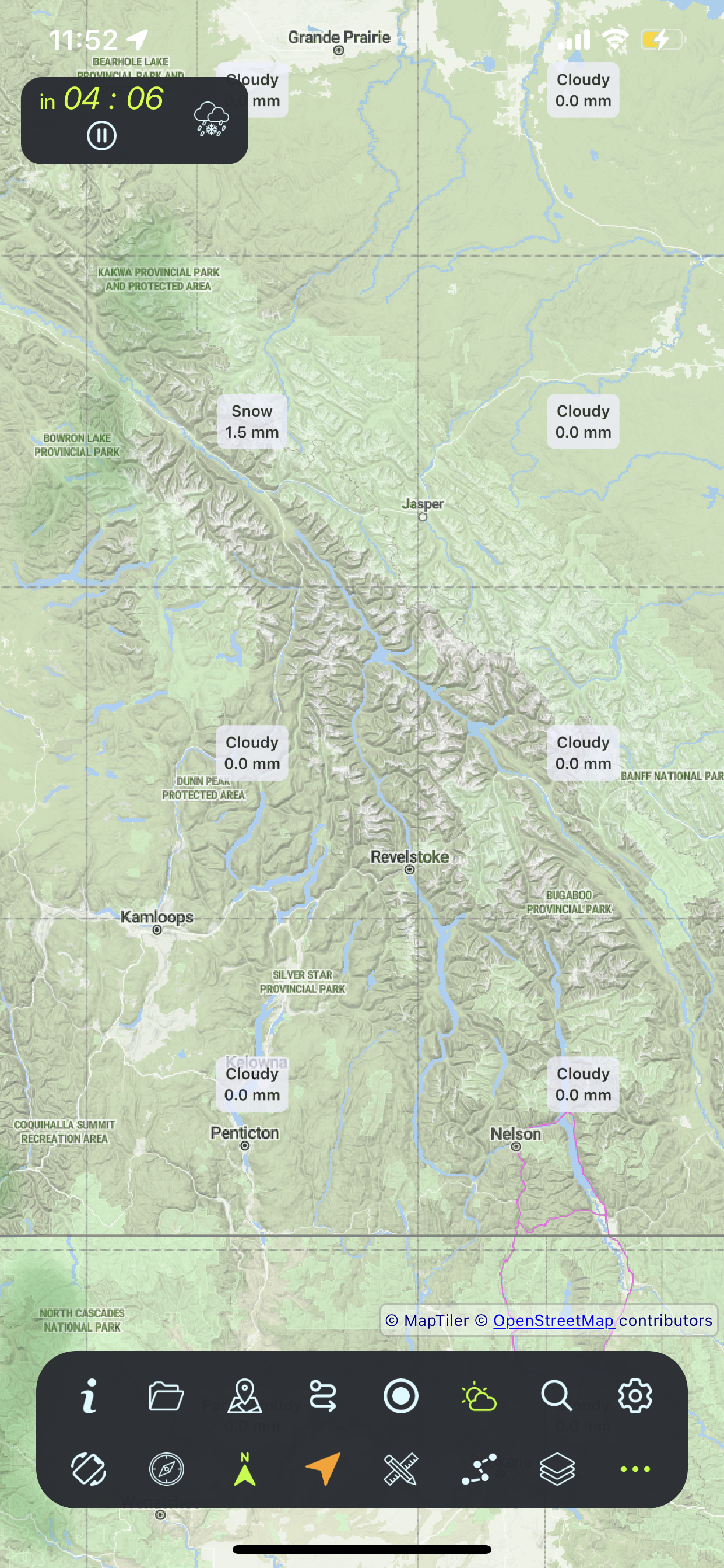
Weather data animates through time to show how conditions change. Watch precipitation systems move across the map and temperature patterns shift throughout the day.
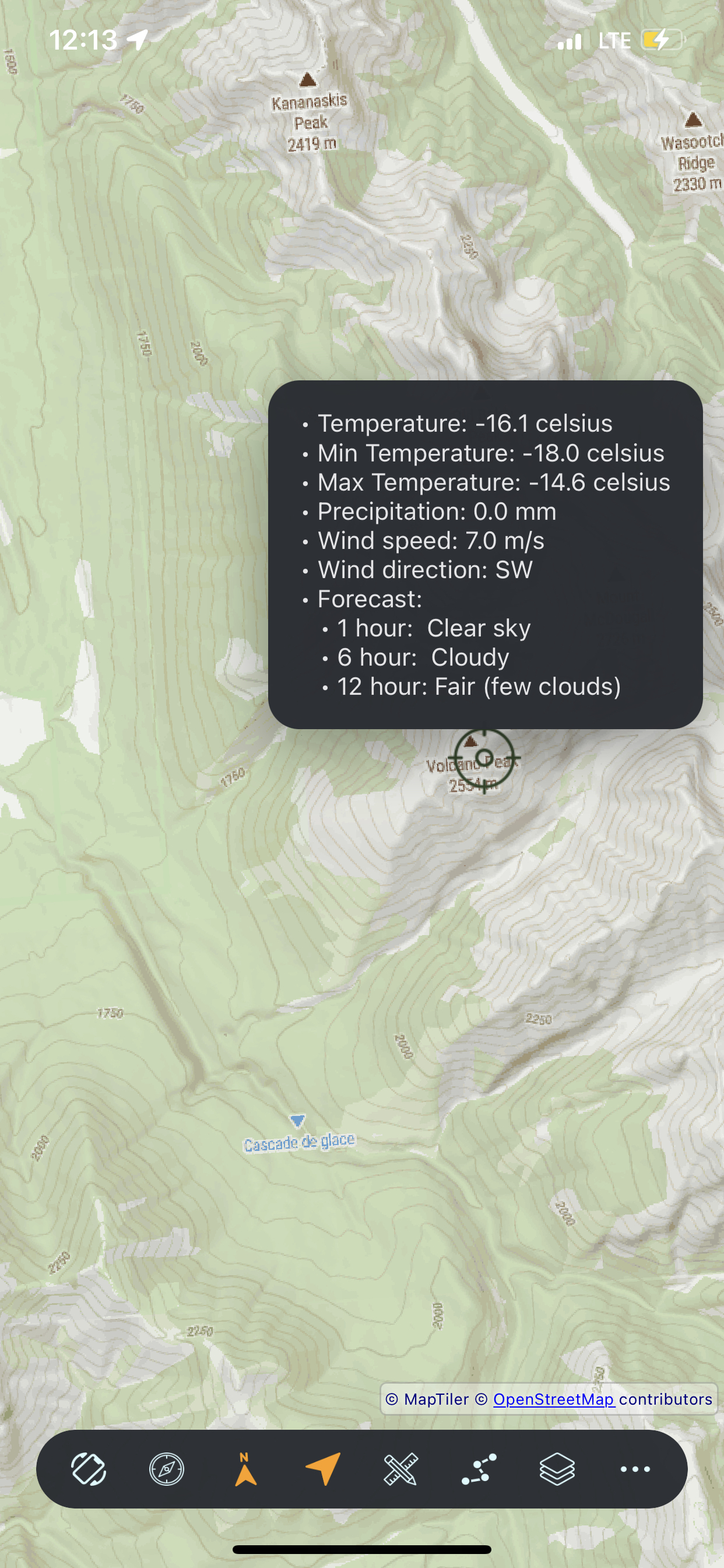
Get comprehensive weather information for any point on the map. Check current conditions, forecasts, and detailed weather data at your exact destination.
The card lists one line per data field when the provider has a value. Use Now, +1h, +6h, and +12h to switch the forecast step; condition, temperature, βfeels like,β humidity, precipitation, wind, UV, cloud cover, and visibility update for that step.
Weather data requires internet connection.
Choose light or dark theme, or let the app follow your device's system setting.
| Theme | Best For |
|---|---|
| Light | Bright outdoor conditions, sunlight readability |
| Dark | Night use, OLED battery savings |
| System | Automatic switching with device schedule |
Choose between Metric or Imperial measurement systems for all distances, elevations, speeds, and temperatures.
| System | Distance | Elevation | Speed | Temperature |
|---|---|---|---|---|
| Metric | meters, km | meters | km/h | Β°C |
| Imperial | feet, miles | feet | mph | Β°F |
Download LightTrailGPSPro and start your next adventure